Project Boards that Do Not Become Museums
A remote-work review of project boards that do not become museums, looking at setup time, reliability, portability, and what breaks when the calendar gets crowded.
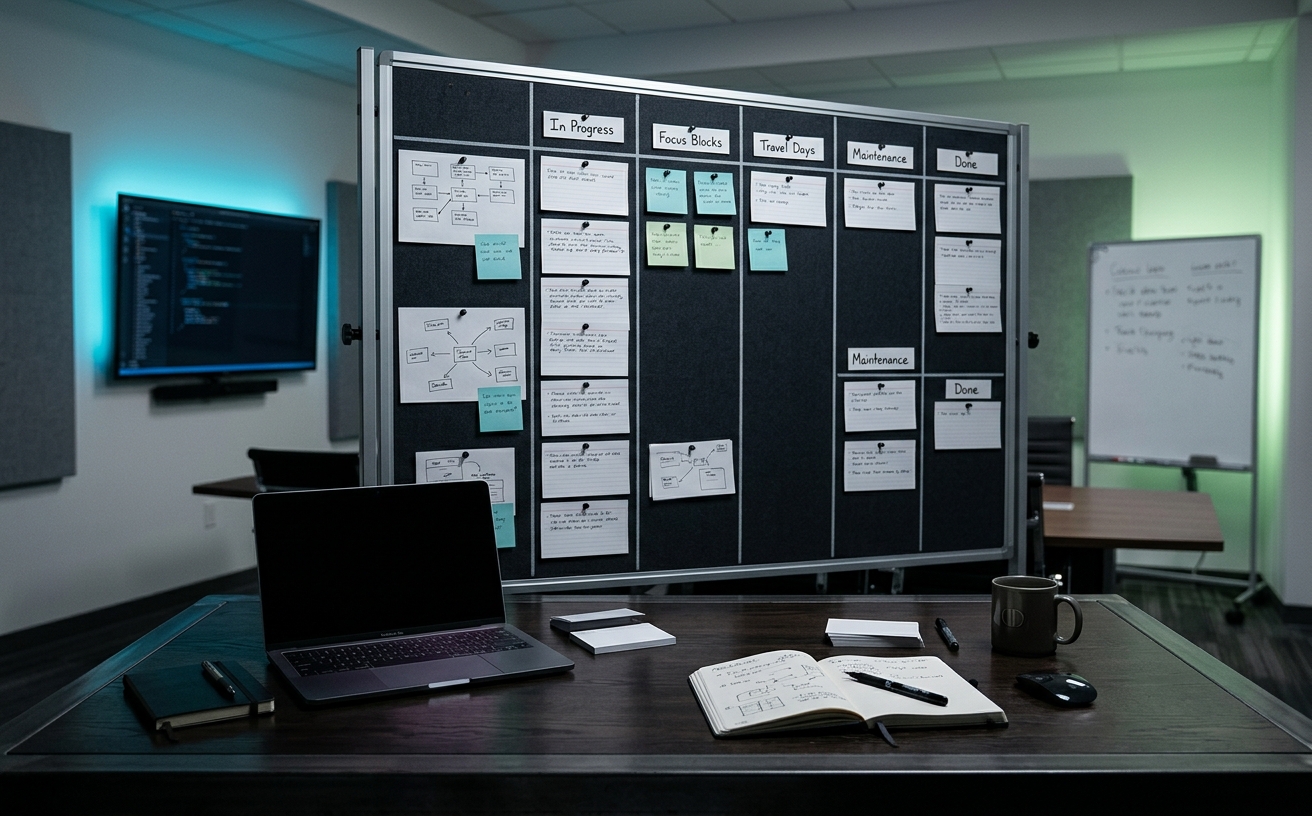
The physical project board often suffers a predictable fate in small workspaces. It begins as a vibrant center of productivity, covered in color-coded notes and precise diagrams. Three weeks later, following a string of remote meetings, a minor illness, or a brief business trip, it has devolved into a museum exhibit. The tasks listed are either long completed or entirely irrelevant, and the board itself has become visual noise occupying premium real estate. When your office is a converted closet, a corner of a bedroom, or a narrow alcove, you cannot afford to dedicate wall or desk space to dead artifacts. Choosing the right physical collaboration and tracking system requires balancing the friction of daily updates against the severe spatial limitations of your environment. The goal is to select a format that demands interaction, seamlessly survives interruptions, and fits within a constrained footprint without overwhelming the room.
The Desktop Glass Easel vs. The Wall-Mounted Grid
The desktop glass easel represents the most aggressive approach to preventing project staleness, primarily because it occupies the highly contested geography between your keyboard and your primary monitor. By positioning your daily tasks directly in your physical sightline and within a few inches of your hands, the easel forces constant interaction. You physically cannot reach for your coffee cup or adjust your volume dial without brushing past your daily objectives. This proximity eliminates the spatial disconnect that plagues traditional wall boards mounted behind the user.
Conversely, the wall-mounted grid offers a macro-level view of complex projects but introduces physical friction into the updating process. In a small office, turning your chair, standing up, and reaching across a room to move a sticky note often feels like a disruption rather than a natural part of the workflow. When the physical effort required to update a system exceeds the perceived value of the update, the board begins its transition into a museum. Wall grids demand strict discipline to remain accurate, requiring dedicated maintenance sessions rather than continuous, casual updates.
The spatial footprint of these two systems dictates their utility in constrained environments. A desktop easel consumes horizontal desk space, which is often the most valuable real estate in a compact setup, but it utilizes the vertical void beneath the monitor. Wall grids consume zero desk space but require uninterrupted vertical planes, which frequently compete with shelving, acoustic treatments, or windows in smaller rooms. The decision rests on whether you are willing to sacrifice a portion of your immediate work surface to guarantee your project board remains an active, living document.
Modular Magnetic Tiles vs. Fixed Framed Boards
Fixed framed whiteboards are a legacy of corporate conference rooms, demanding a permanent, dedicated block of wall space. In a small home office or a tight studio, committing a large rectangle of wall exclusively to dry-erase markers severely limits the room's flexibility. When a fixed board goes unused during a heavy travel month or a period of deep digital focus, it becomes a glaring blank space or, worse, a static display of outdated information that makes the entire workspace feel neglected and visually cluttered.
Modular magnetic tiles offer a highly adaptable alternative for constrained footprints. Because these systems consist of smaller, individual squares or hexagons that mount flush to the wall, they can be configured to fit around existing obstacles like light switches, monitors, or shelving brackets. More importantly, modular tiles allow you to physically remove a section of the board, bring it to your desk for a deep-work session, and snap it back onto the wall when finished. This physical portability bridges the gap between the wall and the desk.
The modular approach also inherently limits the scope of what you can track, which acts as a natural defense against board rot. Instead of staring at a massive, intimidating surface that invites over-planning, you are constrained to the physical boundaries of a single tile per project or phase. When a project concludes, you can wipe that specific tile clean and remove it from the wall entirely, reclaiming the visual space until the next initiative requires it.
Folding Folio Boards vs. Slim Rolling Partitions
For professionals who split their time between a small home office, a corporate headquarters, and various coffee shops, static boards are entirely impractical. The folding kanban folio addresses this by shrinking the project board into a binder-sized format. These folios open up to reveal a multi-paneled dry-erase surface or a structured grid for miniature sticky notes. The primary advantage here is stowability; when the workday ends, the folio folds shut and slides onto a bookshelf or into a laptop bag, completely removing the project from your living space.
Slim rolling partitions attempt to solve the space issue by serving a dual purpose: acting as both a project board and a physical room divider. In a studio apartment or a shared workspace, a vertical rolling board can block out visual distractions from the rest of the room while holding your weekly sprint tasks. However, even the slimmest rolling boards consume floor space. The base requires clearance, and maneuvering the board around a tight desk setup can quickly become an exercise in frustration.
The choice between a folio and a partition comes down to how you define your workspace boundaries. If your small space needs to completely transition back to personal use at 5:00 PM, the folding folio is the superior choice, as it leaves no physical trace behind. If your workspace remains dedicated to work but suffers from a lack of physical separation from the rest of the home, a slim rolling partition justifies its floor footprint by providing necessary architectural division alongside task management.
The Friction of Capture: Dry Erase vs. Physical Cards
The input method you choose directly influences how quickly your board becomes obsolete. Dry erase markers offer the lowest barrier to entry for capturing a thought, but they present significant friction when reorganizing. If a task needs to move from the 'Doing' column to the 'Blocked' column, you must erase it and rewrite it. In a fast-moving project, this repetitive rewriting becomes tedious, leading users to simply leave tasks in the wrong columns, which immediately destroys the board's accuracy and trust.
Physical cards, whether they are standard sticky notes or heavy-stock index cards pinned to a cork surface, solve the reorganization problem. Moving a card takes a fraction of a second, encouraging users to keep the board's state perfectly aligned with reality. However, physical cards introduce their own spatial problems in small spaces. A stack of unused cards and a dispenser occupy desk space, and notes that lose their adhesive backing eventually flutter to the floor, creating physical clutter in an already tight environment.
To prevent a card-based board from becoming a museum, the physical constraints of the cards themselves must be leveraged. Using ultra-small sticky notes forces you to write concise, actionable tasks rather than vague paragraphs. Furthermore, standardizing the card size prevents the board from looking like a chaotic collage. When the visual presentation remains neat and orderly, you are far more likely to engage with the system daily rather than ignoring it as a source of visual stress.
Integration with Digital Workflows
The most common cause of a project board dying is the transition between analog and digital workflows, particularly during travel days or remote focus blocks. If you leave your physical board behind for a three-day offsite, you will inevitably update your tasks in a digital tool. Upon returning to the office, the physical board is completely out of sync with your digital tracker. The effort required to manually reconcile the two systems is often skipped, rendering the physical board permanently obsolete.
To prevent this, the physical board must be treated as a temporary cache rather than the permanent system of record. It should hold only the immediate tasks for the current sprint or the current week. Before leaving the office for an extended period, the board must be cleared. Photographing the board is a common stopgap, but a more resilient method is to build a strict Friday afternoon ritual where any remaining physical cards are either digitized into your primary software or discarded.
When you return to the small office, the board should be blank, ready to receive the next batch of immediate tasks. This cycle of building up and tearing down prevents the accumulation of stale data. It acknowledges that physical boards are exceptional tools for short-term focus and spatial reasoning, but terrible tools for long-term archiving. By strictly limiting the board's timeline to the present moment, it remains a functional tool rather than a historical monument.
Decision checklist
- Clear the 'done' column every Friday afternoon to prevent visual clutter and reset the workspace for Monday.
- Use 2x2 inch sticky notes maximum to force concise task writing and maximize limited board real estate.
- Keep a dedicated marker or pen physically attached to the board to eliminate the friction of searching for writing tools.
- Limit total work-in-progress items to the physical constraints of the board; if the board is full, no new tasks begin.
- Position the board within arm's reach of your primary seated or standing position to ensure updates require zero steps.
Who should skip this
Professionals who work exclusively in highly distributed, asynchronous teams where physical artifacts create an information silo should bypass physical boards entirely. If your team relies on real-time digital updates across multiple time zones, maintaining a private analog board creates a dangerous single point of failure and duplicate work. Additionally, individuals with absolutely zero permanent desk or wall space who rely on a strictly mobile, single-screen setup will find physical boards more burdensome than beneficial.
Maintenance note
To maintain the utility of your system, dry-erase surfaces require weekly cleaning with a dedicated whiteboard solution or isopropyl alcohol to prevent marker ghosting, which degrades readability over time. For card-based systems, discard any notes with curling edges or weakening adhesive immediately, as falling notes destroy the integrity of the tracking system. Treat the physical board as a temporary workspace, ensuring it is completely wiped blank at the end of every project cycle.
The Connected Desk funds its editorial operations through affiliate partnerships. When you purchase workspace systems or organizational tools through links on our site, we may earn a commission. This revenue supports our independent research and does not influence our comparisons or the specific methodologies we recommend for small-space environments.
FAQ
How do I handle physical project boards during long periods of travel?
Treat the physical board as a short-term cache. Before departing, digitize all active tasks into your primary software tool and wipe the physical board completely clean. Return to a blank slate to prevent the board from holding stale, outdated information.
Are glass boards functionally better than melamine for small spaces?
Yes. Tempered glass does not absorb ink, completely eliminating the ghosting effect that ruins melamine boards over time. Furthermore, the slightly reflective surface of glass can bounce ambient light around a small, constrained room, making the space feel marginally less claustrophobic.
What is the ideal mounting height for a wall-based tracking board?
Center the board at eye level based on your primary working posture. If you sit at a standard desk, the center of the board should be approximately 45 to 50 inches from the floor. If you use a standing desk, adjust the height to match your standing eye level to eliminate neck strain.
How do I stop sticky notes from curling and falling off the board?
Peel the sticky note from the side, moving left to right, rather than pulling it upward from the bottom. Pulling from the bottom bends the paper at the adhesive line, causing the note to curl outward and eventually detach from the board.