Standing Desk Trade-offs in Small Rooms
A workspace-ops note on standing desk trade-offs in small rooms, with attention to desk depth, setup friction, team reuse, and the small adjustments that still matter after the first week.
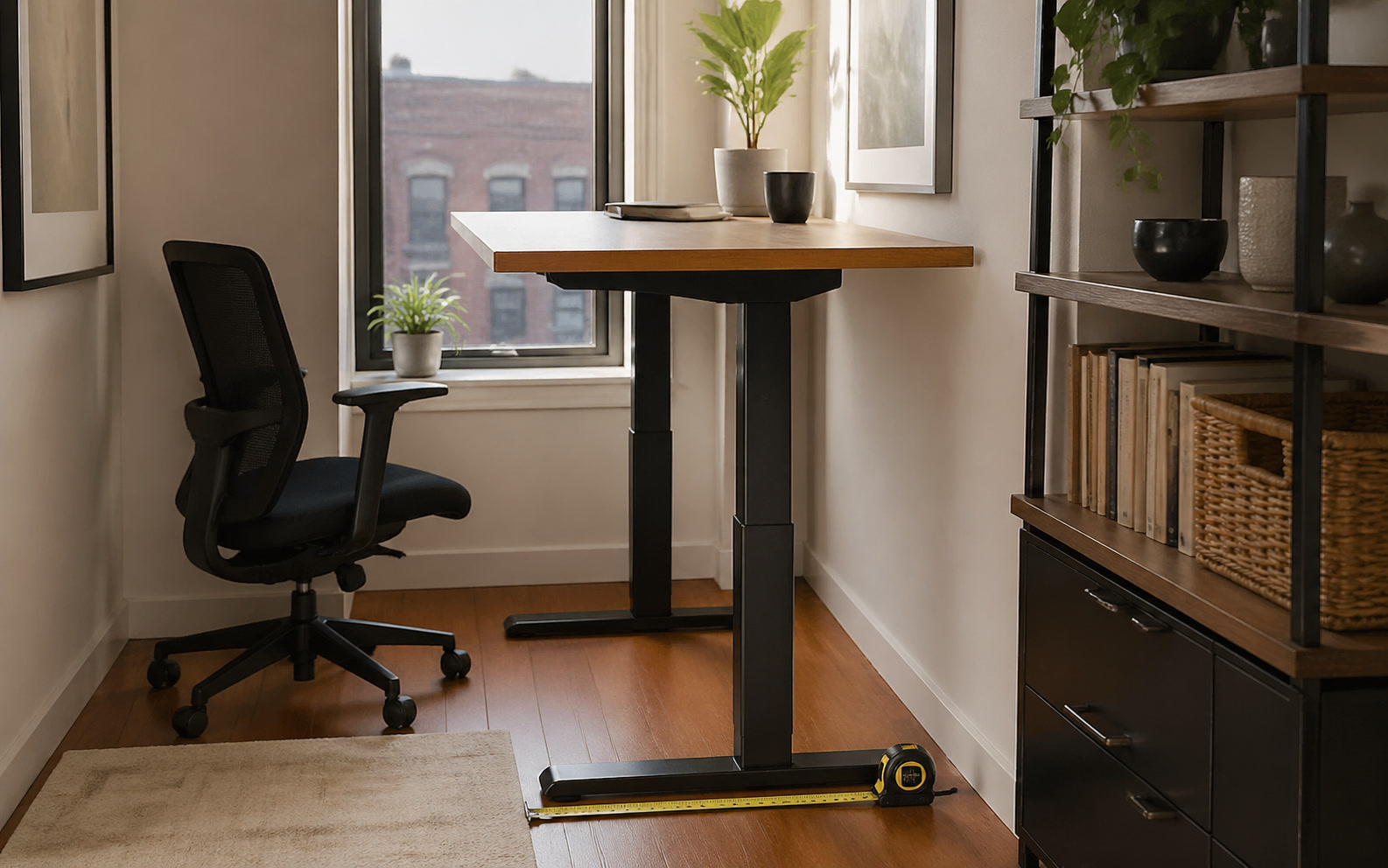
Integrating a standing desk into a room with limited square footage forces an immediate confrontation with physical and visual constraints. When your office shares a footprint with a guest bedroom, a closet, or a narrow alcove, the vertical movement of a desk introduces variables that static furniture avoids. This friction goes beyond simply measuring the floor space to ensure the frame fits against the wall. It involves managing cable slack that must accommodate a forty-inch vertical travel path, dealing with monitor arms that suddenly clear window sills to expose screen glare, and navigating the sheer visual weight of a motorized frame dominating a confined area. For professionals who transition from back-to-back video calls to deep focus blocks, or those returning from exhausting travel days who just need their environment to function without adjustment, the decision to install a sit-stand desk in a tight space requires calculating exact trade-offs. The goal is not just ergonomic variation, but building a resilient workspace that supports continuous output without turning the room into a mechanical obstacle course.
The Vertical Clearance and Architectural Conflict
A static desk occupies a fixed, predictable volume of space, but a motorized desk commands a vertical cylinder of operation that fundamentally alters how a small room functions. When elevated to forty-five inches or higher, the desktop and its attached monitors interact with architectural elements that are entirely irrelevant when seated. In a compact room, this upward travel path frequently intersects with wall-mounted thermostats, light switches, low-hanging shelving units, or sloped ceilings. Failing to map this vertical footprint before installation often results in a desk that cannot reach its maximum ergonomic height without causing structural collisions or blocking access to essential room controls.
Window placement introduces another layer of environmental friction. In a small office, the desk is often forced against the only window to maximize floor space. While a seated position might keep monitors below the sill, raising the desk exposes the screens to direct, shifting sunlight. This introduces severe glare issues that require constant adjustment of blinds or monitor angles throughout the day. Furthermore, the rear edge of the desk moving past window treatments can snag curtains or crush blinds, requiring a larger standoff distance from the wall than initially planned, which eats into the already limited floor space behind the chair.
Beyond physical collisions, the visual weight of a standing desk in a confined area cannot be ignored. When raised, the exposed steel lifting columns and the under-desk machinery—control boxes, motor housings, and cable trays—become the dominant visual elements in the room. Unlike a traditional desk that grounds the space and hides wall imperfections, an elevated standing desk exposes the wall behind it and creates a floating, mechanical aesthetic that can make a small room feel cluttered and utilitarian. This visual disruption requires intentional cable routing and under-desk finishing to prevent the workspace from looking like a disassembled server rack.
Cable Management Complexity in Constrained Footprints
The physics of a height-adjustable desk dictate that every power and data connection must possess enough slack to accommodate the frame's maximum extension. In a spacious office, this slack can be elegantly hidden or routed through floor boxes. In a small room, excess cabling often pools on the floor, creating immediate tripping hazards and visual chaos. The challenge is isolating the vertical movement to a single umbilical cord. Every peripheral that connects to a wall outlet or a floor-bound computer tower introduces another wire that must stretch and retract, multiplying the risk of snags and port damage during automated adjustments.
To mitigate this, the entire power infrastructure must be relocated from the floor to the underside of the desk surface. This requires mounting heavy, multi-outlet surge protectors directly to the desktop using screws or heavy-duty adhesive brackets. By plugging monitors, laptop docks, phone chargers, and desk lamps into this mounted strip, only one thick power cable needs to make the journey to the wall outlet. However, in a small room, routing this single umbilical cord cleanly requires flexible cable spines or drag chains, which add bulk to the rear of the desk and require an additional two inches of clearance from the wall to operate without binding.
Peripheral routing demands similar strictness. External hard drives, audio interfaces, and docking stations must be secured to the moving surface. If a desktop PC tower remains on the floor due to size constraints, the display cables and USB uplinks must be carefully measured. They need to be long enough to reach the highest standing position without tension, but routed through under-desk trays so they do not droop into the footwell when the desk is lowered. In a tight space, a drooping cable is easily caught by a rolling chair caster, which can violently rip a monitor off a desk or destroy a graphics card port.
The Stability Compromise on Uneven Flooring
Small home offices are frequently carved out of repurposed spaces—attics, spare bedrooms, or enclosed porches—which often feature less-than-perfect flooring. The stability of a standing desk is heavily dependent on the rigidity of its foundation. When a two-leg motorized frame is placed on thick residential carpet or slightly uneven hardwood, the inherent instability of the floor is amplified by the extended lever arm of the desk legs. At a seated height, this is rarely noticeable. At a standing height of forty-four inches, even minor floor compression translates into significant lateral sway and monitor wobble.
This typing resonance becomes a severe friction point during focus blocks. If every keystroke causes a twenty-seven-inch monitor to vibrate on its arm, the ergonomic benefits of standing are entirely negated by eye strain and distraction. While four-leg standing desks offer superior stability and eliminate most of this sway, they feature a much larger, deeper footprint that is often impossible to accommodate in a room with limited square footage. Users in small rooms are typically forced to rely on two-leg C-frame or T-frame designs, making floor contact a critical variable.
Mitigating this instability requires specific compromises. If the room has thick carpet, utilizing rigid furniture glides or a heavy-duty polycarbonate chair mat beneath the desk feet can help distribute the weight and reduce compression. Alternatively, users must accept a heavier, thicker desktop material—such as solid hardwood rather than hollow-core laminate—to lower the overall center of gravity and dampen vibrations. This added weight, however, puts more strain on the dual motors and requires careful consideration of the frame's maximum lifting capacity, especially when heavy monitor arms and audio equipment are factored in.
Storage Deficits and Peripheral Sprawl
The transition to a standing desk almost always results in the loss of integrated drawer storage. Traditional fixed desks utilize pedestals that ground the furniture and provide immediate access to files, notebooks, and office supplies. Motorized frames cannot incorporate these heavy, floor-bound elements without restricting vertical movement. In a small room, this storage deficit is acutely felt, as there is rarely enough adjacent floor space to add a lateral file cabinet or a large credenza to make up for the lost drawer capacity.
The standard solution is a mobile storage pedestal designed to roll beneath the desk. However, integrating these into a tight footprint requires precise measurement. The pedestal must be short enough to clear the desk's crossbar and under-desk machinery when the surface is at its lowest seated height. Furthermore, the pedestal's depth must not interfere with the user's legroom, and its width must fit between the desk's lifting columns. In a narrow room where the desk width is already constrained to forty-eight inches or less, placing a pedestal underneath often restricts the chair's movement and forces an uncomfortable, off-center seating position.
To reclaim storage without sacrificing floor space, users must turn to desk-mounted accessories like clamping shelves, under-desk sliding trays, and pegboard attachments. While these solutions keep essential items within reach and move with the desk, they add physical bulk to the surface edges. Clamping accessories eat into the usable width of the desktop, and deep under-desk trays can strike the user's knees when seated. Balancing the need for immediate storage against the necessity of unobstructed legroom and surface area is a constant negotiation in a small-room standing setup.
The Friction of Daily Transitions
The physical reality of operating a standing desk in a small room often contradicts the idealized vision of seamless ergonomic transitions. The act of raising the desk requires ensuring the vertical path is clear. In a confined space, items frequently migrate. A desk chair might be pushed too close to the wall, a floor lamp might be leaning slightly, or an open closet door might intersect with the desk's rear corner. Before pressing the memory preset button, the user must perform a visual sweep of the perimeter to prevent collisions, adding a layer of cognitive friction to a task that should be automatic.
Chair management presents a uniquely frustrating spatial puzzle. When you transition from sitting to standing, the ergonomic chair must go somewhere. In a large office, it is simply rolled back. In a small room, rolling the chair back often blocks the only doorway, obstructs access to bookshelves, or forces the user to awkwardly step around the base to move through the room. For professionals who pace during phone calls or need to access reference materials behind them, the abandoned chair becomes a localized roadblock that disrupts the flow of the workspace.
Finally, the acoustic footprint of the desk's motors must be considered, particularly in shared living spaces or poorly insulated rooms. While premium dual-motor frames are relatively quiet, the mechanical hum of a desk transitioning under load is noticeable. During early morning focus blocks or late-night work sessions following a travel day, the noise of adjusting the desk can be disruptive to others in adjacent rooms. This subtle friction often leads to behavioral abandonment, where the user simply leaves the desk in the seated position permanently to avoid the hassle of managing the chair, checking clearances, and generating noise.
Decision checklist
- Measure vertical clearance against windowsills, wall art, and shelving to ensure monitors will not collide or catch glare when the desk is fully elevated.
- Calculate the exact length of power and data cables needed to reach from the wall outlet to the desk's highest position, adding twenty percent for routing slack.
- Verify the clearance between the desk's lowest seated position and any mobile storage pedestals or filing cabinets placed underneath to avoid crushing them.
- Assess the floor surface for thick carpet or uneven boards, which will amplify monitor wobble when the desk is extended to standing height.
- Inventory all peripherals that must move with the desk surface, ensuring you have the under-desk mounting hardware required to keep them off the floor.
Who should skip this
Professionals operating in rooms with sharply sloped ceilings, such as converted attics, or those who require extensive, heavy physical reference materials at arm's reach should bypass motorized standing desks. The lack of integrated, high-capacity drawer storage combined with the vertical clearance requirements makes these frames highly impractical for paper-heavy workflows in tight quarters. If your primary need is maximum surface stability for precise drafting or you rely on a seamless, built-in aesthetic to make a small room feel larger, a fixed-height desk paired with a highly adjustable, premium ergonomic chair is a far more efficient use of limited square footage.
Maintenance note
Maintaining a motorized desk in a confined area requires strict attention to the mechanical path of travel and cable tension. Dust accumulation on the exposed lifting columns can introduce friction and premature wear to the internal glide pads, so wiping down the extended legs monthly with a dry microfiber cloth is necessary. Additionally, because small rooms force furniture into close proximity, you must routinely inspect the perimeter of the desk for migrating objects—like chair armrests, leaning guitars, or shifted floor lamps—that could cause a collision during an automated height adjustment. Finally, check the tension of your cable management spine or umbilical routing every quarter to ensure repeated vertical cycles haven't pulled connections loose from your mounted power strip.
The Connected Desk funds its editorial operations through reader support and affiliate partnerships. When you purchase workspace hardware or organizational accessories through the links in our field notes, we may earn a commission. This revenue model does not dictate our coverage choices, and we prioritize long-term reliability and spatial efficiency over retail trends.
FAQ
How much clearance do I need around the edges of a standing desk?
You must maintain a minimum of one inch of clearance on all sides, though two inches is ideal. This prevents finger pinches during operation, stops cables from shearing against the drywall, and ensures the desktop does not scrape against adjacent furniture if the frame shifts slightly over time.
Can I place a standing desk over a floor vent in a small room?
Yes, but with strict placement rules. Do not position the motorized lifting columns directly on top of the metal grate, as this compromises stability. Furthermore, ensure that any floor-bound computer towers or power supplies are kept clear of the vent to prevent overheating from forced air.
Are two-leg or four-leg standing desks better for tight spaces?
Two-leg desks (specifically C-frame designs) are generally better for small rooms because they offer superior lateral clearance for your chair and legs, allowing you to slide in and out of the workspace easily. Four-leg desks provide unmatched stability at standing heights but feature a bulky footprint that dominates limited floor space.
How do I handle lighting when the desk height changes constantly?
Fixed wall or ceiling lighting will cast shifting shadows across your workspace depending on the desk's elevation. To maintain consistent illumination, utilize clamp-mounted monitor light bars or articulated desk lamps that attach directly to the moving surface, ensuring the light source travels with your work.