Desk Speakers Versus Headphones
A practical setup brief for desk speakers versus headphones, judged by repeat use, cable paths, ergonomics, maintenance, and whether a teammate could copy the system.
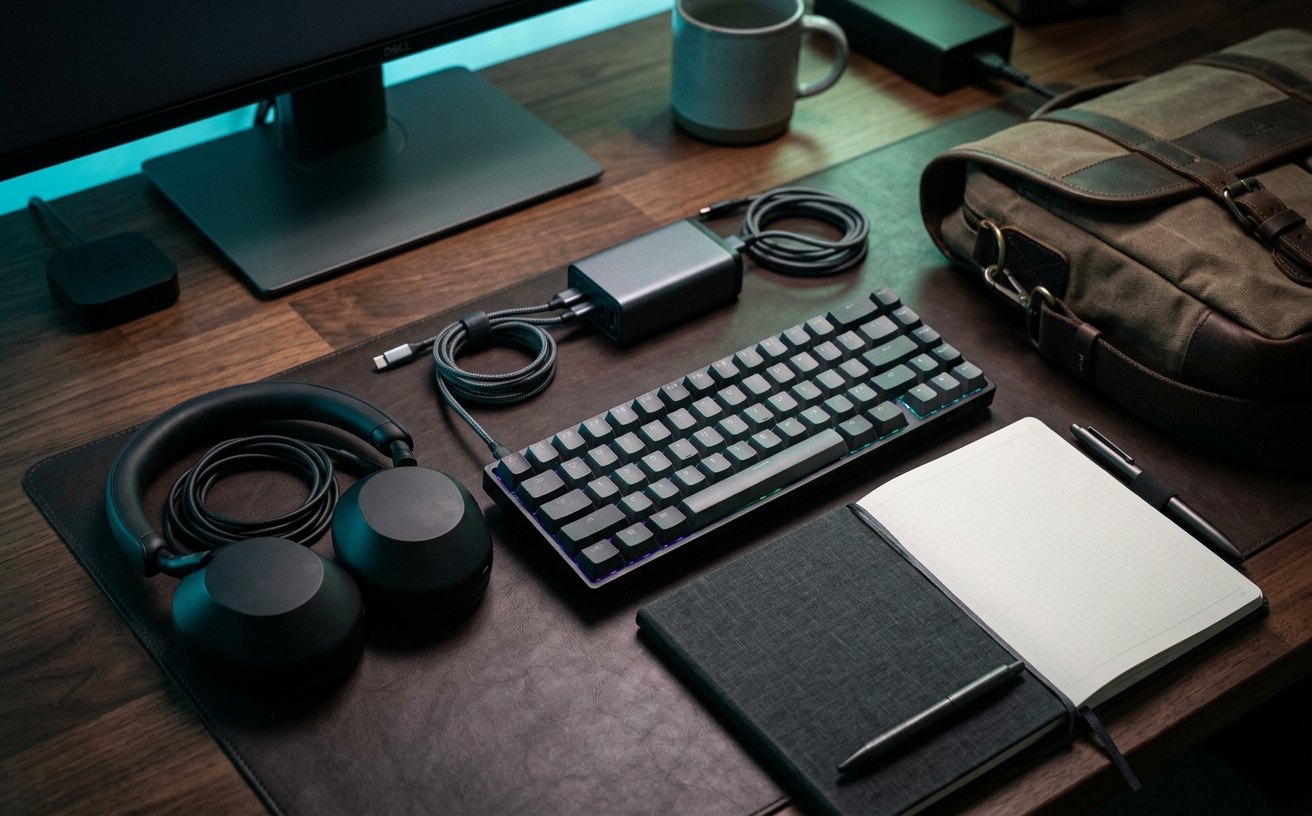
Choosing between desk speakers and headphones is rarely a question of pure audio fidelity. For professionals managing demanding hybrid schedules, the decision hinges on workspace friction: how smoothly you can transition from a three-hour deep work block to back-to-back video calls without disrupting your focus or your household. Headphones offer absolute acoustic isolation and precise microphone placement, making them indispensable for crowded environments and sensitive client conversations. However, clamping force and in-ear pressure introduce physical fatigue over an eight-hour workday, often leading to a stark drop in concentration by mid-afternoon. Desktop speakers eliminate this physical wear entirely, filling the room with ambient sound that makes long stretches of administrative work feel less isolating, but they demand a private, acoustically treated room to prevent echo during meetings. This guide examines the operational realities of both setups, focusing on how they handle repeated daily transitions, background noise management, and the physical toll of continuous use.
Managing Physical Fatigue and Wear Time
Continuous headphone use introduces physical friction that compounds over a standard workweek. Even premium over-ear models with memory foam earpads exert clamping force on the jaw and temporal bone, while closed-back designs trap heat and moisture. In-ear monitors and wireless earbuds bypass the headband issue but introduce canal pressure and earwax impaction risks when worn for six to eight hours daily. By Thursday, this cumulative physical fatigue often manifests as a reluctance to engage in focus work or a tendency to cut optional meetings short simply to remove the device.
Desktop speakers entirely remove this physical burden, allowing you to consume audio while maintaining complete freedom of movement. Without a device tethered to your head, you can stretch, adjust your ergonomic chair, or pace the room during a challenging problem-solving session without shifting a heavy headband or snagging a cable. This unencumbered state is particularly valuable during long stretches of asynchronous work, where background music or podcasts serve as pacing tools rather than primary focus objects. The physical relief translates directly into longer, more comfortable working blocks.
For professionals who spend more than half their day on video calls, a bifurcated strategy often yields the highest endurance. This involves deploying a high-quality pair of desktop speakers for all passive listening—reviewing recorded meetings, watching training materials, or listening to ambient music—reserving headphones strictly for active, two-way communication. This limits headphone wear time to perhaps two or three hours a day, preserving your physical comfort while ensuring you still have access to acoustic isolation when the work demands absolute privacy.
Acoustic Boundaries and Microphone Bleed
Headphones provide an immediate, predictable acoustic boundary regardless of your physical location. Because the drivers are millimeters from your ears and the microphone is positioned near your mouth, the hardware naturally rejects ambient room noise and prevents audio bleed. This makes headphones the mandatory choice for open-plan offices, shared home workspaces, or apartments located near busy intersections. The proximity of the microphone also ensures a consistent vocal presence on calls, signaling professionalism to clients without requiring you to manage room acoustics.
Transitioning to a desktop speaker setup for two-way communication introduces significant acoustic complexity. When audio plays through speakers, it bounces off your desk, walls, and monitors before entering your microphone, creating a feedback loop. While modern video conferencing software utilizes aggressive acoustic echo cancellation to mitigate this, the processing often degrades your outgoing voice quality, making you sound robotic or clipped. To use speakers during meetings effectively, you must pair them with a highly directional dynamic microphone positioned close to your mouth, which adds hardware and complexity to your desk.
The viability of a speaker setup also depends entirely on your room's natural acoustic treatment. A minimalist home office with hardwood floors, glass windows, and bare drywall will reflect speaker audio aggressively, creating a harsh, fatiguing listening environment and exacerbating microphone bleed. If you intend to rely on speakers, you must invest in the physical space itself—adding thick rugs, acoustic panels, or heavy curtains to dampen reflections. Headphones bypass this requirement entirely, acting as a portable, acoustically treated room that travels with you from the desk to the kitchen table.
Transition Friction in Daily Workflows
The physical act of putting on headphones serves as a powerful psychological trigger for deep work, but it also introduces transition friction. When a colleague pings you for an impromptu huddle, or your phone rings while you are listening to a webinar on your laptop, you must manage the audio routing. Bluetooth multipoint technology attempts to solve this by connecting to two devices simultaneously, but the handoff is rarely perfect, often resulting in missed audio or the need to dig into operating system menus to force a connection change.
Desktop speakers, particularly those wired directly to a dedicated external digital-to-analog converter or audio interface, offer a more stable, predictable routing experience. Because the speakers remain physically connected to your primary workstation, there are no batteries to die mid-meeting and no Bluetooth pairing protocols to fail. You can route all computer audio through a single, tactile volume knob on your desk, providing instant control over your environment without breaking eye contact with your monitor or interrupting your typing flow.
However, relying on wired speakers means you lose the ability to step away from your desk without losing the audio feed. A professional using wireless headphones can walk to the kitchen for water while continuing to listen to a company all-hands meeting. With speakers, leaving the acoustic sweet spot of your desk means missing information. This forces a choice between the rock-solid reliability of a wired speaker setup and the mobility of wireless headphones, a decision that should be dictated by how often you need to step away from your keyboard during active listening sessions.
Spatial Awareness and Environmental Integration
Active Noise Cancelling headphones excel at creating a sterile, isolated focus environment, but this total disconnection from your physical surroundings is not always practical or safe. For remote workers managing household responsibilities, parents monitoring children in the next room, or professionals expecting secure deliveries, absolute acoustic isolation creates anxiety. The constant need to lift an earcup to check on a noise breaks concentration far more violently than simply working with a baseline awareness of the house.
Desktop speakers integrate your audio with your environment, allowing you to maintain full situational awareness. You can hear the doorbell, a pet asking to go outside, or a family member asking a quick question without needing to pause your audio or remove hardware. This integration makes the workday feel less claustrophobic and more connected to your actual living space. For many, the ambient nature of speaker audio—filling the room rather than injecting sound directly into the ear canal—feels more natural and less mentally taxing over a long shift.
Modern premium headphones attempt to bridge this gap with transparency modes, which use external microphones to pipe ambient sound into the earcups. While useful for brief interactions, leaving transparency mode active for hours introduces a subtle, processed hiss and drains battery life rapidly. Furthermore, the digital reproduction of your environment often lacks accurate directional cues, making it difficult to determine where a sound is coming from. If environmental awareness is a constant requirement, speakers remain the superior, zero-compromise solution.
Desk Footprint and Cable Management
The physical footprint of your audio gear dictates how you organize your primary work surface. Desktop speakers demand significant real estate in the most critical zone of your desk: the area immediately flanking your monitors. To achieve proper stereo imaging and prevent desk resonance, speakers require dedicated stands or isolation pads, pushing your monitors closer together or forcing a wider desk purchase. They also require a permanent commitment to cable management, with power cables, interconnects, and audio lines that must be routed cleanly to avoid visual clutter.
Headphones offer a dramatically smaller footprint, requiring only a simple under-desk hanger or a minimalist stand to keep them out of the way when not in use. Wireless models eliminate audio cables entirely, leaving your desk surface pristine and maximizing the space available for reference documents, notebooks, or secondary devices. However, this minimalist aesthetic requires strict adherence to a charging routine. Forgetting to plug in your headphones at the end of the day guarantees a disrupted morning, forcing you to use a backup pair or remain tethered to a charging cable.
The ultimate decision often comes down to how you view your desk space. If your desk is a static, dedicated command center where you prioritize a premium, room-filling experience, the footprint and cable management of speakers are worthwhile investments. If your desk is a flexible surface that frequently shifts between computer work, sketching, and reviewing physical documents, the zero-footprint nature of wireless headphones provides the adaptability you need. Evaluating your daily physical workflow will reveal which compromise makes the most sense for your specific environment.
Decision checklist
- Audit your weekly calendar to determine the exact ratio of passive listening to active two-way communication.
- Measure the available width on your desk to ensure you can accommodate speaker stands without blocking secondary monitors.
- Test your room's acoustic reflections by clapping loudly; if you hear a sharp ring, budget for acoustic panels before buying speakers.
- Document your household's ambient noise levels during your most critical working hours to assess the necessity of Active Noise Cancellation.
- Verify your primary video conferencing software's echo cancellation capabilities if you plan to use speakers alongside a standalone desk microphone.
Who should skip this
Professionals working in open-plan corporate offices, shared co-working spaces, or high-traffic areas of the home should bypass desktop speakers entirely. In these environments, introducing external audio is a breach of workspace etiquette and a guarantee of compromised privacy during sensitive client calls. Similarly, if your role requires frequent travel or shifting between different hot-desks throughout the week, investing heavily in a static speaker setup yields minimal return. Stick to high-quality, closed-back headphones that provide consistent acoustic isolation regardless of where your laptop is deployed.
Maintenance note
Maintaining an optimal audio setup requires distinct routines depending on your hardware. For headphones, replace the ear pads every twelve to eighteen months, as compressed foam degrades both comfort and acoustic isolation, and wipe down the headband weekly to prevent oil buildup. For desktop speakers, maintenance is largely environmental: dust the driver cones gently with a dry microfiber cloth, ensure isolation pads remain centered to prevent desk vibration, and periodically check cable connections to your audio interface to prevent static buildup or signal degradation.
The Connected Desk funds its editorial operations through reader support. When you purchase workspace audio equipment, speaker stands, or acoustic treatments through the retail links provided in our guides, we may earn a recognized affiliate commission. We do not accept promotional hardware from audio manufacturers, ensuring our setup recommendations remain focused entirely on long-term reliability and daily operational performance.
FAQ
Can I use desktop speakers for video calls without causing an echo?
Yes, but it requires careful hardware configuration. You must use a highly directional dynamic microphone positioned very close to your mouth, keep the speaker volume moderate, and ensure your conferencing software's echo cancellation is active. Relying on a webcam microphone while using speakers will almost always result in severe echo for the other participants.
Do I need an external DAC or audio interface for desk speakers?
While many active speakers can plug directly into your computer's headphone jack, an external DAC or audio interface isolates the audio signal from the electrical noise generated by your computer's motherboard. This eliminates the static hiss often heard during silent moments and provides a physical volume dial for faster adjustments during meetings.
Are open-back headphones a viable compromise between speakers and closed-back headphones?
Open-back headphones offer excellent breathability and a wider soundstage, reducing physical ear fatigue compared to closed-back models. However, they leak sound into the room and let all ambient noise in. They are excellent for private, quiet home offices but completely unsuitable for shared workspaces or noisy environments.
How do I prevent ear fatigue if I must wear headphones for eight hours a day?
Alternate between different styles of headphones throughout the day, such as switching from over-ear ANC headphones in the morning to lightweight in-ear monitors in the afternoon. This shifts the physical pressure points. Additionally, enforce strict ten-minute hardware-free breaks every two hours to allow your ear cartilage to rest and moisture to dissipate.