Headphones for Focus and Calls
A practical setup brief for headphones for focus and calls, judged by repeat use, cable paths, ergonomics, maintenance, and whether a teammate could copy the system.
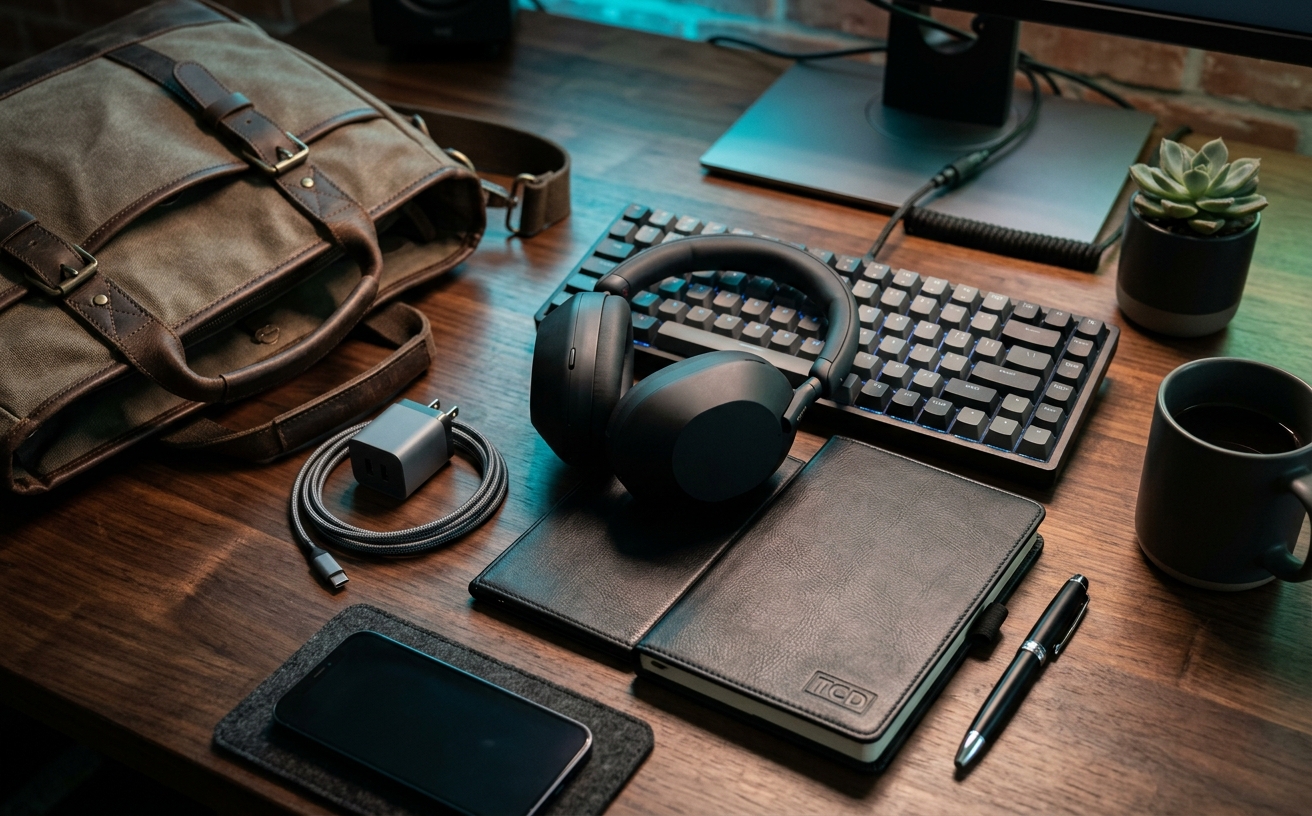
The modern workspace relies heavily on audio isolation, yet the physical reality of wearing headphones for eight hours a day is rarely addressed in consumer audio marketing. When evaluating audio gear for professional focus and communication, the priority must shift away from theoretical frequency response curves or novel spatial audio features. Instead, the decision hinges entirely on physical endurance and operational friction. A headset must allow you to transition from a two-hour deep work block into a series of video conferences without causing jaw fatigue, crown pressure, or the disorienting isolation that makes speaking unnatural. This guide examines the structural and technical requirements of workspace audio, focusing on how clamping force, microphone articulation, and connectivity protocols dictate whether a piece of hardware supports your workflow or actively distracts from it. By prioritizing comfort and clear vocal transmission over novelty, you can select a tool that withstands the rigors of daily professional maintenance.
The Physics of All-Day Wear and Clamping Force
The lateral pressure applied by a headband dictates how securely the device sits, but excessive force translates directly to discomfort at the temporomandibular joint. Over an eight-hour shift, this constant inward pressure restricts micro-circulation and causes muscular fatigue around the jaw and temples. Buyers must evaluate the flexibility of the headband yoke and the density of the memory foam used in the ear cushions. These two components must work in tandem to distribute lateral pressure evenly across the skull rather than concentrating it on a single pressure point, which is a common flaw in heavy, metal-chassis designs.
Earpad material significantly impacts thermal regulation during long focus blocks. Synthetic leather or pleather creates a tight acoustic seal necessary for passive noise isolation, but it traps body heat and moisture against the skin. For environments where active noise cancellation is less critical, velour or perforated mesh pads offer superior breathability, preventing the localized sweating that forces users to constantly remove and readjust their headsets. The choice of material dictates the thermal comfort of the device, directly influencing how long you can maintain unbroken concentration before physical discomfort breaks your focus.
Vertical weight distribution is equally critical to long-term comfort. A heavy headset resting entirely on the sagittal suture at the top of the skull will create a painful hotspot within two hours of continuous use. Premium workspace headsets address this through wide, padded headbands or suspended elastic straps that distribute the mass across a larger surface area. When assessing weight, the raw gram count matters less than the surface area of the contact point. A well-balanced three-hundred-gram headset with a suspension strap will cause significantly less fatigue than a two-hundred-gram headset with a narrow, unpadded plastic arch.
Microphone Architecture and Voice Isolation
The distance between the microphone capsule and the speaker's mouth is the single most important factor in voice clarity. Consumer headphones typically rely on beamforming arrays embedded flat against the ear cups, placing the microphones several inches away from the sound source. This physical distance requires aggressive software amplification, which invariably captures ambient room noise alongside the voice. A physical boom arm places a directional microphone capsule directly in front of the mouth, maximizing the signal-to-noise ratio at the hardware level before any software processing is applied, resulting in a naturally broadcast-quality voice.
When hardware placement is compromised, devices rely on algorithmic noise suppression to filter out keyboard clatter and background conversations. While modern digital signal processing is highly effective at identifying and muting continuous low-frequency sounds like HVAC systems, it struggles with unpredictable, high-frequency interruptions. Overly aggressive noise suppression algorithms often clip the beginnings and ends of words, or introduce a robotic, underwater artifact to the user's voice. For professional calls, a headset that prioritizes a clean, uncompressed vocal signal over aggressive background muting ensures that your speech remains intelligible and authoritative.
Sidetone, or mic monitoring, is a non-negotiable feature for extended communication. When wearing closed-back headphones, your ears are physically sealed off from your own voice, leading to the occlusion effect. This causes users to unconsciously shout, leading to vocal cord fatigue and a disruptive environment for coworkers. Proper hardware sidetone routes a zero-latency feed of your microphone audio directly into the speakers, restoring the natural feedback loop of human speech. Without adjustable sidetone, participating in back-to-back meetings becomes a physically exhausting exercise in volume regulation.
Active Noise Cancellation as a Focus Boundary
Active noise cancellation operates by utilizing external microphones to sample ambient sound and generating an inverted acoustic wave to neutralize it. This technology excels at eliminating continuous, low-frequency drones such as airplane engines, server fans, or building ventilation systems. By removing this low-level auditory clutter, the brain expends less energy filtering out the environment, which measurably extends the duration of deep focus blocks. However, ANC is physically incapable of instantly neutralizing sudden, sharp noises or the variable frequencies of human speech, meaning it must be paired with excellent passive isolation to block office chatter.
The implementation of ANC often introduces a phenomenon known as acoustic pressure. The inverted sound waves can trick the inner ear into perceiving a change in atmospheric pressure, similar to the sensation of gaining altitude in an aircraft. For sensitive individuals, this artificial pressure induces headaches and mild nausea after prolonged exposure. Professional-grade workspace headsets must offer granular control over the ANC intensity, allowing users to dial back the cancellation strength to a level that removes distracting hums without triggering physical discomfort during a four-hour work session.
Transparency mode is the functional opposite of ANC, utilizing the exterior microphones to pipe environmental audio into the ear cups. This feature is vital for situational awareness, allowing users to answer brief questions from colleagues or listen for delivery knocks without physically removing the hardware. The quality of a transparency mode is judged by its lack of latency and natural frequency response; a poorly engineered transparency mode sounds synthesized and harsh, while a premium implementation makes it feel as though you are not wearing a headset at all, eliminating the friction of context switching.
Connectivity Protocols and Switching Friction
Bluetooth multipoint technology theoretically allows a headset to maintain simultaneous connections with two devices, such as a laptop and a smartphone. In practice, the implementation is often fraught with operating system conflicts. Aggressive notification sounds from a paired mobile device can abruptly hijack the audio stream, muting a critical video conference on the primary computer. Managing these handoffs requires a headset with sophisticated firmware that prioritizes communication applications over background media, ensuring that the user is not constantly fighting the hardware to route audio to the correct destination.
For strict professional environments, native Bluetooth introduces unacceptable variables in latency and codec negotiation. Dedicated 2.4GHz USB receivers bypass the host computer's Bluetooth stack entirely, presenting the headset to the operating system as a simple wired audio interface. This eliminates pairing failures, ensures consistent high-bandwidth audio transmission, and guarantees that hardware mute buttons remain synchronized with software applications like Zoom or Microsoft Teams. While a dongle occupies a port, the resulting stability is worth the trade-off for users who cannot afford audio failures during high-stakes meetings.
A reliable wired fallback mechanism is essential for mitigating battery anxiety during long travel days or forgotten charging routines. Many modern wireless headsets disable all audio functions while connected to a power source, rendering them useless during a midday recharge. A proper workspace headset must support audio-over-USB, allowing the device to function as a high-fidelity wired headset while simultaneously replenishing the battery. This continuous operational capability ensures that hardware limitations never force a pause in your workflow or require you to switch to inferior backup audio devices.
Form Factor Trade-offs and Environment Matching
Circumaural, or over-ear, designs represent the standard for desk-bound professionals. By fully enclosing the pinna of the ear, these headsets provide the maximum possible passive noise isolation and allow for the integration of large, high-fidelity drivers. The physical size permits larger battery capacities, easily supporting multi-day use between charges. However, the bulk of circumaural designs makes them cumbersome for frequent travelers, and the enclosed acoustic chamber accelerates thermal buildup, making them less suitable for un-air-conditioned environments or users who run hot during the workday.
Supra-aural, or on-ear, headsets rest directly against the cartilage of the ear. This form factor is the standard in call centers due to its lighter weight and superior ventilation, preventing the heat exhaustion associated with over-ear models. The trade-off is a significant reduction in passive noise isolation and a high risk of physical cartilage fatigue. If the clamping force is not perfectly calibrated, the constant pressure against the ear becomes painful within a few hours. On-ear designs are best reserved for users who prioritize breathability and spend their entire day on calls rather than in isolated deep work.
Intra-aural devices, including true wireless earbuds and in-ear monitors, offer unmatched portability and eliminate headband hair compression entirely. They are ideal for hybrid workers transitioning between coffee shops, transit, and hot desks. However, inserting a silicone or foam tip directly into the ear canal introduces friction and moisture buildup that many find intolerable for an entire eight-hour shift. Furthermore, the miniaturized batteries in true wireless earbuds rarely survive a day of continuous microphone use, forcing users to manage charging case cycles during their lunch breaks or between meetings.
Decision checklist
- Measure internal earcup depth to ensure the driver baffle does not physically contact the helix of your ear.
- Verify the presence of a dedicated, tactile hardware mute button that functions independently of software interfaces.
- Confirm the device offers adjustable sidetone routing to prevent shouting and vocal fatigue during extended calls.
- Check for a dedicated 2.4GHz USB receiver if your primary machine restricts aggressive Bluetooth multipoint polling.
- Ensure the earpads are user-replaceable without requiring specialized tools or proprietary adhesives.
Who should skip this
Professionals operating exclusively in private, acoustically treated environments should bypass wearable audio entirely. A dedicated desktop microphone paired with high-fidelity nearfield studio monitors provides superior voice clarity and eliminates all physical wearing fatigue. Wearable audio is a compromise designed to solve environmental noise and privacy issues; if neither issue exists in your workspace, clamping a device to your head introduces unnecessary physical friction and battery management into your daily routine.
Maintenance note
Earpads act as sponges for facial oils and dead skin, accelerating the degradation of synthetic leathers and acoustic foams. Wipe down the contact surfaces weekly with a dry microfiber cloth, and replace the pads annually to maintain both hygiene and the acoustic seal necessary for proper noise cancellation. To preserve the lithium-ion battery lifespan, avoid routinely draining the headset to zero percent; instead, maintain a charging discipline that keeps the device between twenty and eighty percent capacity during normal daily operation.
The Connected Desk funds its editorial operations through reader support. When you purchase workspace hardware through the external links provided in our guides, we may earn a commission. We do not accept payment for placement or alter our criteria to favor specific manufacturers.
FAQ
Why does my voice sound muffled on premium noise-canceling headphones?
Consumer headphones typically rely on microphones embedded flat against the ear cup, placing them far from your mouth. To compensate, they apply aggressive digital noise reduction algorithms that compress your voice while attempting to filter out background noise, resulting in a robotic or muffled vocal profile.
Is Bluetooth multipoint reliable for switching between a phone and a laptop?
Multipoint reliability depends heavily on the operating systems involved. While the headset may support two connections, aggressive notification sounds from a paired smartphone will frequently hijack the audio stream, interrupting a laptop video call. For strict professional use, a dedicated USB receiver offers superior stability over native Bluetooth.
What causes the feeling of ear pressure when using active noise cancellation?
Active noise cancellation works by emitting inverted sound waves to neutralize incoming low-frequency noise. This process can trick your brain into perceiving a change in atmospheric pressure, similar to gaining altitude in an aircraft. If you are sensitive to this, look for headsets with adjustable ANC intensity levels.
Can I use high-end wired audiophile headphones for video calls?
Yes, provided you add an external microphone to your setup. Audiophile headphones offer superior physical comfort and audio reproduction, but they lack integrated microphones. Pairing them with a standalone USB condenser microphone or an attachable boom microphone creates an excellent, albeit tethered, workspace audio system.