Meeting Load Reduction Framework
A practical setup brief for meeting load reduction framework, judged by repeat use, cable paths, ergonomics, maintenance, and whether a teammate could copy the system.
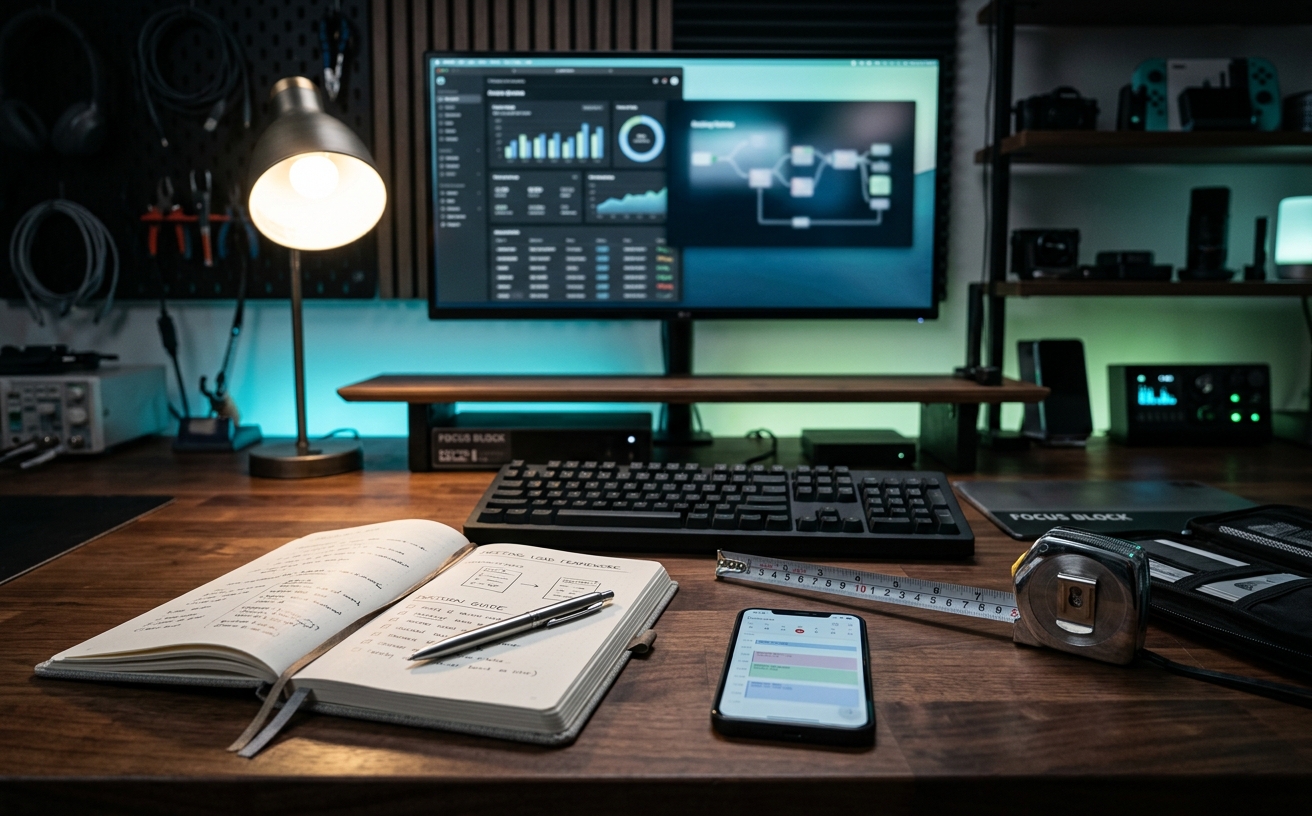
The physical toll of consecutive video calls is severely compounded when your workspace occupies a fraction of a bedroom or a converted closet. The Meeting Load Reduction Framework is a systematic approach to hardware, acoustics, and lighting designed specifically for professionals operating within strict spatial limitations. When you cannot solve meeting fatigue by pacing a large corporate office or relocating to a dedicated conference room, the burden of comfort and efficiency falls entirely on your immediate desktop environment. This guide compares the standard ad-hoc remote setup against a high-efficiency, low-friction framework, evaluating how specific monitor configurations, localized acoustic management, and ergonomic micro-adjustments dictate your stamina. By optimizing the geometry and hardware of a constrained footprint, this framework ensures you retain the cognitive and physical energy required to execute deep work and routine maintenance long after the camera turns off.
Display Architecture and Eye Strain Mitigation
The default approach for small desks is a single laptop screen, which forces constant window toggling during screen-sharing sessions and severely limits posture variability. In a constrained footprint, relying on a 14-inch display for a six-hour meeting block guarantees cervical spine fatigue and visual strain. The user is forced to hunch forward to read small text, compressing the chest and restricting breathing. The load reduction framework demands a shift toward a primary external monitor positioned at precise eye level, relegating the laptop to a secondary, angled position strictly for reference materials or peripheral chat windows.
Comparing a 27-inch high-resolution monitor against a standard low-resolution display reveals a distinct difference in text rendering clarity, which directly impacts the cognitive load required to read shared documents over compressed video streams. When desk depth is less than 24 inches, a mechanical monitor arm becomes mandatory rather than an optional upgrade. This mechanical addition reclaims critical square footage beneath the display while allowing the user to pull the screen forward for detailed spreadsheet reviews and push it back during standard conversational calls, effectively reducing focal fatigue throughout the day.
Furthermore, the framework emphasizes ambient light rejection and matte panel finishes. Glossy screens in tight quarters often reflect overhead lighting or nearby windows, forcing the user to subconsciously squint or adjust their seating angle to avoid glare. By standardizing on high-pixel-density matte displays and utilizing operating system software to automatically shift color temperatures as the afternoon progresses, the visual friction of consecutive video calls is systematically reduced. This deliberate control over the visual field prevents the heavy-eyed exhaustion that typically ruins post-meeting focus blocks.
Localized Acoustic Control vs. Software Processing
Managing audio in a small room often involves battling hard parallel walls that create harsh, distracting reverberations. The standard consumer response is to rely entirely on the digital noise suppression built into video conferencing software. While these algorithms successfully filter out steady background hums like air conditioning, they often clip the user's voice and introduce a subtle, robotic distortion. This artifacting requires listeners—and the speaker, who must constantly repeat themselves—to exert significantly more effort to communicate clearly over long durations.
The framework advocates for a hybrid approach, comparing the efficacy of localized physical acoustic treatments against purely digital solutions. In a tight workspace, mounting large acoustic panels is rarely viable due to wall space limitations. Instead, the focus shifts to micro-treatments: heavy felt desk mats, monitor-mounted acoustic baffles, and strategically placed soft materials immediately behind the microphone axis. These localized interventions absorb high-frequency reflections before they reach the capsule, allowing you to lower the aggressive software gating and transmit a natural, fatigue-free vocal tone.
For the audio input itself, comparing a standard webcam microphone to a dynamic broadcast microphone reveals a critical advantage for small spaces. Dynamic microphones reject off-axis noise by design, capturing only the audio immediately in front of the capsule. Mounted on a low-profile boom arm that folds neatly beneath the monitor when not in use, a dynamic microphone eliminates the echo of a small room without requiring wall-to-wall foam. This hardware upgrade significantly reduces the vocal strain required to project authority during a full day of remote presentations.
Ergonomic Micro-Adjustments in Static Footprints
Spatial constraints typically eliminate the possibility of pacing the room or utilizing a secondary lounge chair during camera-off meetings. When your entire workday occurs within a tightly defined perimeter, the comparison between a static ergonomic chair and a dynamic seating system becomes critical. A static chair, even a highly adjustable premium model, locks the pelvis into a single optimal position. Over a heavy meeting load, this static posture inevitably degrades into a slump during the third consecutive hour of calls, leading to lower back compression and reduced circulation.
The load reduction framework prioritizes micro-adjustments over macro-movements. This involves integrating a compact standing desk converter or a narrow-frame motorized chassis, paired with an active sitting stool or a chair featuring a highly responsive, tension-adjustable tilt mechanism. The goal is to facilitate continuous, low-effort movement. By slightly altering the desk height by a single inch every hour, or unlocking the chair tilt during listening-heavy meetings, the user redistributes spinal pressure and engages core muscles without needing additional floor space.
Foot support is an often-ignored element in this ergonomic comparison. In tight setups where desk height might be dictated by built-in shelving or non-standard architecture, a dedicated footrest allows for proper knee angles regardless of the surface height. Comparing a flat floor stance to an angled, active footrest demonstrates a clear reduction in lower back strain. These millimeter-level adjustments compound over a heavy travel week or a day of back-to-back reviews, preserving your physical baseline for the actual work that follows the meetings.
Lighting Geometry for Confined Desks
Standard residential lighting is universally hostile to video calls, usually consisting of a single overhead fixture that casts severe shadows, or a harsh desk lamp that causes the user to squint. In a small space, adding a pair of large softboxes or traditional photography lights is impossible. The traditional alternative—a basic ring light—creates flat, unnatural illumination and reflects harshly in glasses or monitors, contributing directly to the visual fatigue the framework seeks to eliminate.
The framework compares these ad-hoc setups against edge-lit, low-profile key lights mounted directly to the monitor arm pole or the back edge of the desk. Edge-lit panels diffuse the LED source internally, projecting a soft, wrap-around light that does not pierce the retina. By positioning two small panels at 45-degree angles, or bouncing a single high-output light off a nearby neutral wall, the user achieves professional, flattering illumination without sacrificing a single inch of valuable desktop real estate.
Controlling the color temperature and intensity via desktop software is the final variable in this lighting comparison. Reaching behind monitors to adjust physical dials is impractical in a cramped corner. Software-controlled lighting allows the user to map brightness presets to their keyboard or a macro pad. Dropping the light intensity by thirty percent during a casual internal sync, and raising it for a formal client presentation, reduces continuous ocular stress. This deliberate control over the immediate visual environment prevents the drained sensation that follows a marathon meeting block.
Peripheral Consolidation and Cable Management
A high-density meeting schedule requires reliable hardware, but adding standalone cameras, microphones, lights, and stream controllers quickly overwhelms a small desk. The standard approach results in a tangle of USB cables and power bricks, creating a visually chaotic environment that increases baseline psychological stress. Every square inch of a compact desk is premium real estate; dedicating a quarter of it to cable slack, adapters, and hubs is a structural failure that impedes physical workflow.
Implementing the framework requires comparing discrete, multi-cable setups against consolidated docking solutions and under-desk routing. A high-bandwidth docking station mounted beneath the desk surface transforms the workspace. It routes power, dual displays, ethernet, and all peripheral data through a single cable to the laptop. This physical decoupling means transitioning from a travel day to a heavy meeting day takes seconds, not minutes of plugging, unplugging, and troubleshooting connection drops.
Furthermore, consolidating control surfaces minimizes physical reaching and cognitive load. Instead of interacting with multiple hardware switches for microphones and lighting, the framework utilizes a single macro pad or global software shortcuts. Muting the microphone, disabling the camera, and dimming the lights are executed from a centralized, compact device. This reduction in physical friction and visual clutter directly translates to a calmer, more controlled meeting experience, leaving the desk clear for analog tasks, note-taking, or focused deep work.
Decision checklist
- Mount primary monitors on mechanical arms to reclaim desk depth and allow focal distance adjustments during long calls.
- Deploy a dynamic broadcast microphone on a low-profile boom to reject room echo without requiring bulky wall treatments.
- Install a high-bandwidth docking station beneath the desk surface to reduce visual clutter and simplify laptop transitions.
- Replace harsh ring lights with edge-lit, software-controlled LED panels to minimize retinal fatigue over long durations.
- Integrate an active footrest or responsive chair tilt mechanism to facilitate continuous lower-body micro-movements during static meetings.
Who should skip this
Professionals who primarily engage in asynchronous work, have access to a dedicated, acoustically treated home office with ample square footage, or only attend a handful of short video calls per week will find this framework over-engineered. If your meeting load rarely exceeds an hour a day and you have the physical space to step away from your desk frequently, standard laptop hardware and basic ergonomic seating are entirely sufficient.
Maintenance note
The efficiency of this framework relies on strict cable discipline and peripheral hardware updates. Inspect monitor arm tension and boom arm joints quarterly to ensure they hold their positions without sagging under the weight of your equipment. Clean microphone capsules and edge-lit panels with a microfiber cloth monthly to prevent dust buildup, and verify that your docking station and lighting control software are running the latest firmware to avoid sudden disconnections during critical presentations.
The Connected Desk funds its editorial operations through affiliate partnerships. If you purchase hardware, acoustic treatments, or lighting solutions through the links provided in this framework guide, we may earn a commission. This process dictates no part of our comparative analysis, hardware selection, or the specific spatial recommendations detailed above.
FAQ
Does a dynamic microphone require an external audio interface?
While traditional XLR dynamic microphones require a separate USB audio interface, many modern broadcast microphones offer dual XLR and USB-C connectivity. For small spaces, a direct USB-C dynamic microphone is highly preferable as it eliminates the need for an interface box taking up space on the desk.
How do I manage acoustics if my desk faces a window?
Glass is highly reflective for audio. If your desk faces a window, utilize heavy, cellular blackout shades during critical calls to dampen sound reflections. Additionally, ensure your microphone is positioned close to your mouth and facing away from the glass to maximize off-axis rejection.
Are ultrawide monitors better than dual displays for heavy meeting loads?
In constrained spaces, a single 34-inch or 38-inch ultrawide monitor often provides better ergonomics than dual displays. It eliminates the central bezel, allows for seamless window tiling (such as a video feed on one side and a shared document on the other), and requires only one heavy-duty monitor arm.
Can software noise cancellation completely replace physical acoustic treatment?
No. While software algorithms excel at removing steady-state background noise like fans or air conditioning, they struggle with the harsh reverberation of a small, empty room. Relying solely on software often results in clipped, unnatural audio that causes listener fatigue.