Workspace Upgrade Scoring Method
Field notes for workspace upgrade scoring method: what changes during calls, handoffs, travel days, and long focus blocks, without turning the desk into a showroom.
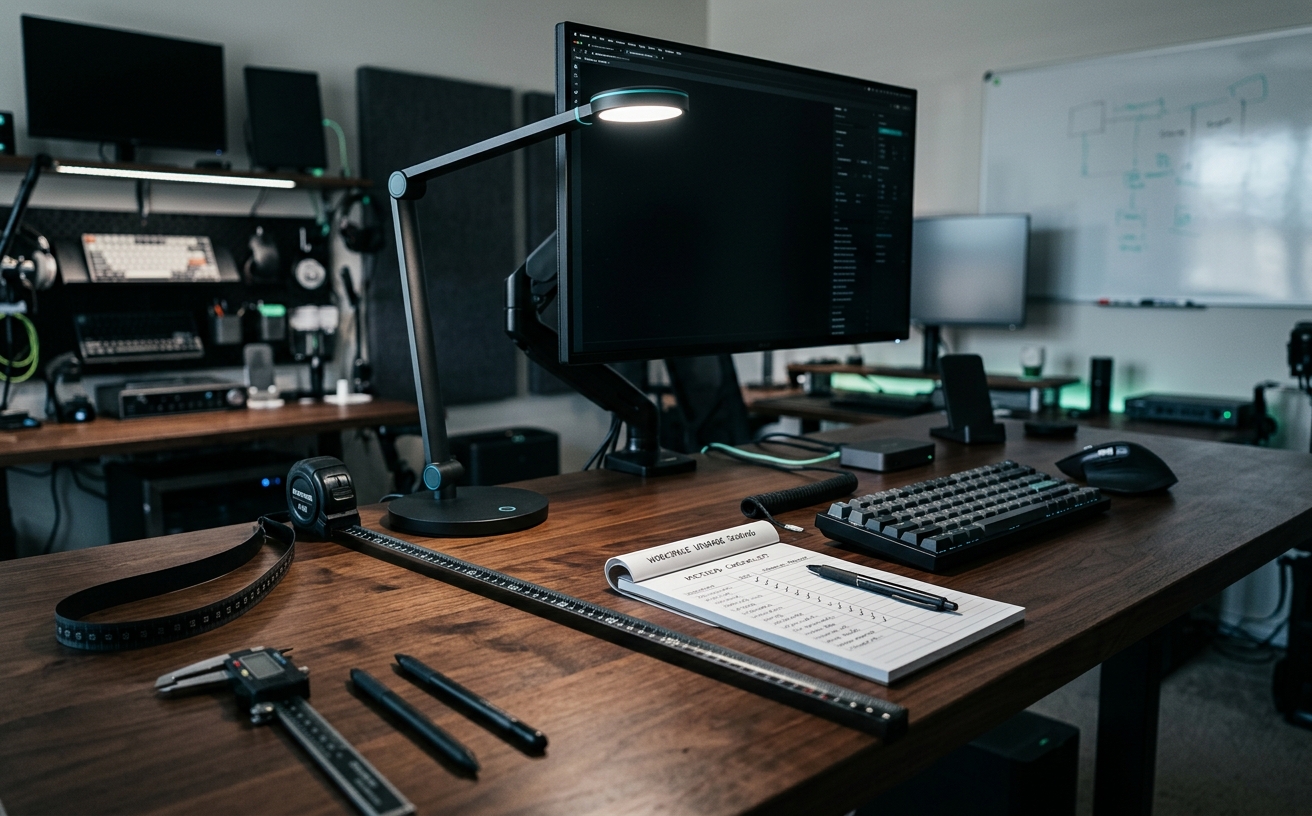
The standard approach to workspace upgrades relies heavily on visual appeal and specification sheets that prioritize novelty over human physiology. Professionals who spend their weeks navigating consecutive video conferences, intensive focus blocks, and the physical toll of business travel require a highly specific evaluation framework. The Workspace Upgrade Scoring Method strips away marketing claims about smart connectivity and minimalist aesthetics to focus entirely on sustained comfort and operational reliability. This framework assigns value based on how a piece of equipment supports the body during the ninth hour of a workday, how it mitigates sensory fatigue, and whether it operates without requiring constant troubleshooting. By prioritizing physiological support and frictionless utility, this scoring system ensures that capital allocated to a home office actually extends a professional's capacity to work without pain, distraction, or technical friction.
The Ergonomic Foundation and Postural Support
The contemporary office furniture market frequently prioritizes visual minimalism over human physiology, resulting in seating solutions that look striking in architectural photographs but fail completely during a ten-hour workday. The Workspace Upgrade Scoring Method explicitly penalizes these rigid, sculptural designs. When evaluating a chair, the initial assessment must strip away the marketing language surrounding modern silhouettes and focus entirely on structural support. A chair that forces the user to adapt their posture to its fixed contours immediately fails the baseline evaluation. Professionals navigating consecutive virtual meetings and deep-work sessions require hardware that yields to their specific biomechanics. This means rejecting seating with static lumbar curves, non-adjustable armrests, and shallow seat pans that cut off circulation to the lower extremities. The scoring begins by measuring the exact degree of customization a chair offers the individual user.
To achieve a passing score in the ergonomic baseline, seating must offer independent adjustments for seat height, seat pan depth, backrest tilt tension, and armrest positioning across at least three axes. Seat pan depth is particularly critical; a seat that is too long will place pressure on the popliteal fold behind the knees, while one that is too short fails to distribute femoral weight, leading to severe localized fatigue. The scoring method awards maximum points to mechanisms that allow the user to lock the backrest in multiple reclined positions, facilitating the micro-movements necessary to keep spinal discs hydrated throughout the day. Furthermore, the tension control must be precise enough to balance the user's upper body weight perfectly, allowing for a floating sensation that requires zero abdominal strain to maintain or adjust.
Material composition heavily influences the final ergonomic score. Breathable elastomer meshes receive high marks for their ability to dissipate body heat and distribute weight evenly without creating pressure points. However, if a mesh is strung too tightly across a rigid frame, it mimics the unforgiving nature of hard plastic. High-density molded foam provides an excellent alternative, scoring well provided it maintains its structural integrity and resists bottoming out after months of continuous compression. The scoring method deducts points aggressively for polyurethane faux leathers that trap heat and accelerate degradation under daily friction. Ultimately, a seating upgrade is only justified if it measurably increases the number of hours you can remain seated without experiencing musculoskeletal discomfort, entirely independent of how the chair coordinates with your room decor.
Display Density and Visual Endurance
Evaluating monitors through the lens of comfort requires ignoring diagonal screen size in favor of pixel density and panel coating. The market is saturated with massive, ultra-wide displays that offer vast amounts of horizontal real estate but suffer from low resolutions. Reading dense documentation or analyzing spreadsheets on a thirty-four-inch display with a 1080p vertical resolution introduces severe ocular fatigue. The text rendering appears jagged, forcing the ciliary muscles in the eyes to work harder to interpret blurred edges. The scoring method heavily penalizes large displays with low pixel-per-inch metrics. A monitor upgrade only scores points if it actively reduces the visual strain associated with prolonged focus blocks, making text clarity the absolute highest priority in the visual evaluation phase.
The target metric for visual comfort is a minimum of 110 pixels per inch, though 163 to 220 pixels per inch represents the ideal range for achieving print-quality text rendering. Displays hitting these higher density targets receive maximum points in the scoring framework. Beyond resolution, the method evaluates the panel's surface treatment. Glossy screens may deliver superior contrast ratios and vibrant color reproduction for media consumption, but they act as mirrors in brightly lit home offices. The constant need to refocus past ambient reflections induces rapid eye fatigue. Therefore, high-quality matte finishes that diffuse direct light without introducing heavy grain or sparkle earn significant points. The monitor must perform well under harsh afternoon sunlight just as effectively as it does during late-night work sessions.
Secondary visual scoring factors include refresh rates and brightness modulation. While high refresh rates are historically associated with gaming, a 120Hz panel provides noticeably smoother cursor movement and document scrolling, reducing motion blur and subsequent micro-strains on the eyes. The scoring method also mandates a strict deduction for displays utilizing low-frequency Pulse-Width Modulation to control brightness, as the imperceptible flickering triggers headaches in sensitive individuals. Finally, the physical stand must offer extensive height, tilt, and swivel adjustments. If a premium display requires the immediate purchase of a secondary monitor arm just to achieve a neutral neck posture, its overall upgrade score is significantly reduced.
Tactile Input and Upper Extremity Health
The shift toward ultra-thin laptops has normalized low-profile keyboards with minimal key travel, directly contributing to a rise in repetitive strain injuries and peripheral neuropathy among professionals. The scoring method for tactile inputs rejects the aesthetic of razor-thin peripherals, focusing instead on actuation force, key travel, and neutral wrist alignment. When evaluating a keyboard upgrade, the primary metric is how much force the fingers must exert, and how harshly that force is absorbed by the joints when the key bottoms out. A peripheral that forces the user to type on a rigid, unyielding surface receives a zero score. The goal is to find input devices that register keystrokes reliably while providing enough mechanical dampening to protect the delicate cartilage in the fingers and wrists.
Mechanical switches and high-quality scissor mechanisms score highly because they offer predictable tactile feedback, allowing the user to learn exactly when a key registers without needing to press it entirely into the chassis. The scoring method awards bonus points for split or tented keyboard designs. Standard straight keyboards force the wrists into ulnar deviation and the forearms into pronation, a highly unnatural posture that compresses the median nerve. A keyboard that allows the user to separate the halves to shoulder width and angle them upward reduces this muscular tension immediately. Similarly, when evaluating pointing devices, traditional flat mice lose points for forcing the hand to lie parallel to the desk. Vertical mice or trackballs that promote a handshake position score significantly higher for long-term joint health.
Operational friction also plays a major role in scoring peripherals. The method deducts points for keyboards and mice that rely on proprietary charging cables or feature charging ports located on the bottom of the device, rendering them unusable while tethered. Wireless reliability is paramount; peripherals that drop Bluetooth connections during critical focus blocks or require constant re-pairing fail the test. Maximum points are awarded to devices that utilize standard USB-C charging, offer multi-device switching via dedicated hardware buttons, and store their keybindings directly on onboard memory. This ensures the ergonomic benefits and custom shortcuts remain intact regardless of whether the device is connected to a personal desktop or a locked-down corporate laptop.
Acoustic Isolation and Clamping Force
Audio equipment in the professional workspace is rarely evaluated for its physical toll, yet poorly designed headsets are a primary driver of afternoon fatigue. The scoring method for audio gear prioritizes physical comfort and vocal clarity over extreme bass response or high-fidelity music reproduction codecs. When a professional spends four to six hours a day in virtual meetings, the clamping force of a headset becomes a critical health metric. Headsets that rely on high clamping force to achieve passive noise isolation create severe pressure points around the temporomandibular joint and the crown of the head. An audio upgrade must distribute its weight evenly across a wide, heavily padded headband and utilize ear cups that fully encapsulate the ear without resting on the cartilage.
Material selection in ear pads heavily influences the acoustic comfort score. Pleather and vinyl pads trap heat and moisture, leading to severe discomfort during extended use. The scoring method awards points for velour, hybrid fabrics, or cooling-gel-infused memory foam that allows the skin to breathe while maintaining an adequate acoustic seal. Beyond physical comfort, the method evaluates the psychological comfort provided by the microphone. A headset must feature hardware-level sidetone, allowing the user to hear their own voice naturally without latency. Without sidetone, users instinctively raise their speaking volume, leading to vocal cord strain and general exhaustion by the end of the day. Headsets lacking this feature receive automatic deductions.
The final acoustic scoring criteria involve operational reliability and noise rejection. The microphone must feature a physical, tactile mute switch or a flip-to-mute boom arm, providing absolute certainty that the audio stream is cut without needing to check software indicators. Furthermore, the microphone capsule must possess strong off-axis noise rejection to prevent keyboard clatter and ambient household noise from broadcasting to clients. Wireless headsets score highly only if their battery life comfortably exceeds a fourteen-hour threshold, ensuring they survive a full day of meetings and an evening of media consumption without requiring a mid-day charge. Heavy batteries that compromise the weight distribution of the headset, however, negate these points entirely.
Frictionless Connectivity and Transition
The reality of modern professional life involves constant transitions between deep focus at the desk, meetings in conference rooms, and travel. The scoring method evaluates docking stations and cable management systems based entirely on how much friction they remove from these transitions. A workspace that requires the user to plug in four separate cables, adjust a monitor input, and manually connect a Bluetooth mouse every time they sit down is fundamentally broken. The upgrade score for connectivity hardware is determined by its ability to reduce the transition process to a single physical action. If docking a laptop takes more than three seconds or requires moving other hardware out of the way, the solution fails the evaluation.
Thunderbolt and high-bandwidth USB-C docks receive the highest scores in this category, provided they deliver sufficient power delivery to keep the laptop charged under heavy processing loads. The method scrutinizes the reliability of these docks, penalizing units that run excessively hot or suffer from display dropouts when waking from sleep mode. Port accessibility is also a critical scoring factor. A dock that places all its USB ports and SD card readers on the rear panel, forcing the user to blindly reach behind their desk, loses significant points. The ideal connectivity upgrade provides a clean, single-cable connection to the host machine while offering easily accessible downstream ports for temporary peripherals like flash drives or charging cables.
Cable management is scored not as an aesthetic pursuit, but as a functional requirement for workspace maintenance. Systems that permanently zip-tie cables into rigid bundles are penalized, as they create massive friction when a single peripheral needs to be replaced or packed for travel. High scores are awarded to routing channels, under-desk trays, and magnetic clips that keep cables off the floor but allow for immediate removal and repositioning. The ultimate goal of the connectivity score is to ensure the workspace remains a tool that serves the professional, rather than a fragile ecosystem that requires constant, careful management just to function.
Decision checklist
- Does this item force my body to adapt to its shape, or does it feature sufficient mechanical adjustments to adapt to my specific biomechanics?
- Can this device operate independently of proprietary background software that requires constant updates and administrative privileges?
- Do the primary material contact points degrade, trap moisture, or retain excessive heat over an uninterrupted eight-hour work period?
- Will integrating this specific tool require adding more than one visible, permanent cable to the current desk surface?
- Does the primary function of this upgrade directly reduce physical strain, ocular fatigue, or repetitive motion, rather than merely altering the room aesthetics?
Who should skip this
Individuals building a workspace primarily for short-duration tasks, casual web browsing, or aesthetic social media photography will find this methodology unnecessarily strict. If your desk usage rarely exceeds two continuous hours, the physiological toll of poor ergonomics remains minimal, making investments in high-density foam seating, split-ergonomic keyboards, or high-PPI displays difficult to justify. This framework is explicitly designed for professionals whose income relies on sustained, daily interface with their digital environment, where minor physical frictions compound into major fatigue.
Maintenance note
High-comfort workspace components require specific, routine maintenance to retain their ergonomic and functional benefits. Gas cylinders in seating need annual lubrication to prevent sticking, mechanical keyboard switches accumulate debris that alters their actuation force, and high-resolution displays require proper microfiber cleaning to maintain their anti-glare coatings without scratching. The scoring method assumes you will dedicate fifteen minutes a month to tightening structural bolts, updating peripheral firmware via dedicated hardware, and verifying that cable management tension hasn't compromised port connections.
The Connected Desk funds its editorial operations through reader support and affiliate partnerships. When you purchase workspace components through links in our guides, we may earn a commission. Our scoring methods and editorial recommendations remain strictly independent, evaluating hardware solely on its capacity to deliver sustained comfort, structural integrity, and professional reliability.
FAQ
How heavily should aesthetic design factor into the scoring method?
Aesthetics receive a zero multiplier in this framework. While a visually cohesive workspace can provide psychological benefits, a beautiful chair that restricts blood flow to the lower extremities ultimately destroys productivity. Score entirely on structural support, material durability, and functional friction.
Does the scoring method apply to standing desks?
Yes, with a focus on lateral stability at maximum height and the quality of the motor. A standing desk scores highly if it transitions quietly and remains rigid when typing while elevated; it loses points if the crossbar interferes with knee clearance during seated focus blocks.
Why does the method penalize proprietary companion software?
Software that must run in the background to maintain your mouse's DPI settings or your headset's equalizer introduces operational friction. Hardware that saves its configuration to onboard memory scores higher because it performs consistently across personal desktops, corporate laptops, and secure networks without requiring administrative installation privileges.
How do I score lighting in this framework?
Lighting is scored based on its ability to reduce ocular strain. High marks go to bias lighting behind monitors that reduces contrast in dark rooms, and desk lamps with high Color Rendering Index (CRI) ratings and adjustable color temperatures. RGB strips designed purely for ambient color receive no points.