Microphones for Untreated Rooms
A desk audit for microphones for untreated rooms, focused on comfort, recovery time, shared-work constraints, and the details that reduce Monday-morning friction.
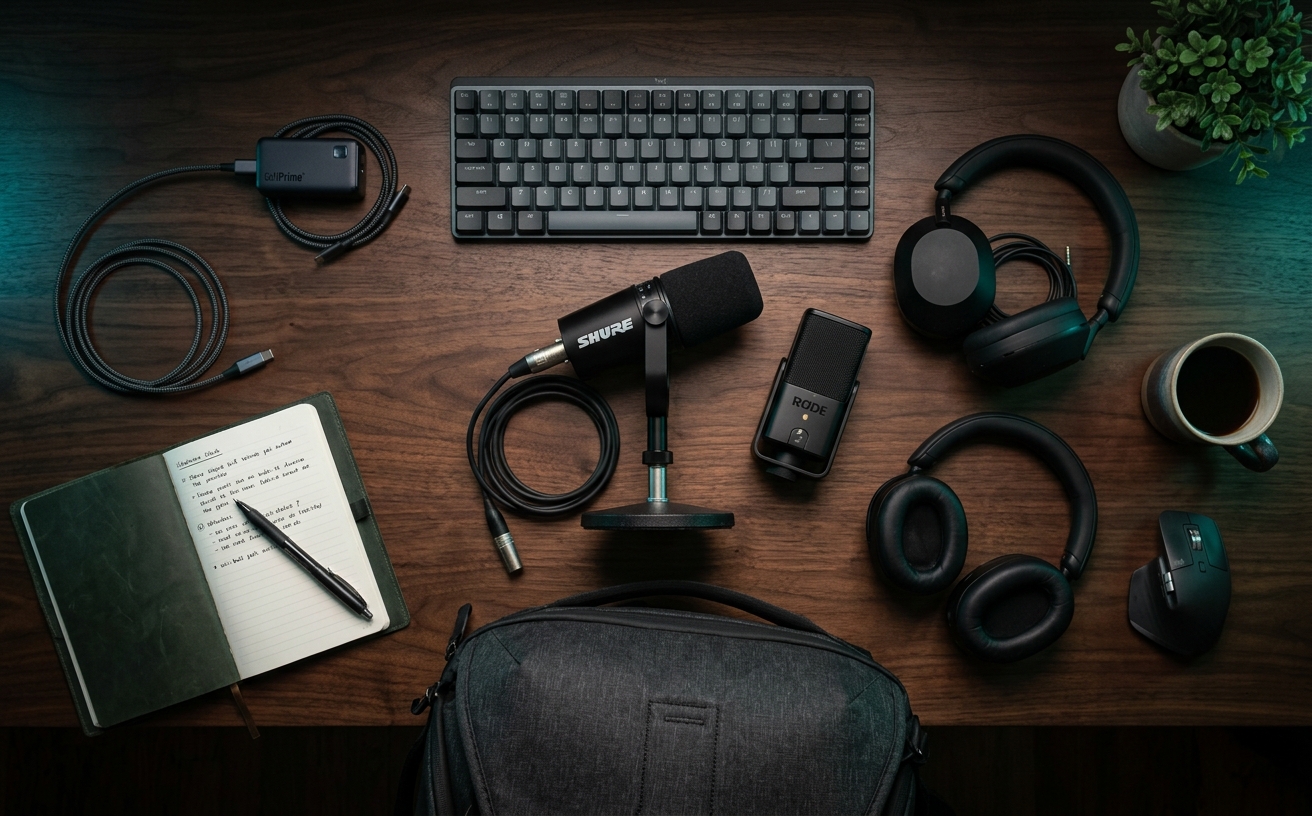
Most home offices are acoustic nightmares. Hardwood floors, expansive glass windows, and minimalist drywall create a reverberant chamber that amplifies every keyboard strike and passing delivery truck. When professionals attempt to upgrade their audio in these untreated spaces, they frequently purchase sensitive condenser microphones designed for sound-damped studios, inadvertently broadcasting their home's entire acoustic profile to their colleagues. This guide focuses on a more practical approach: selecting and configuring microphones that reject background noise through physical design rather than software trickery. By prioritizing dynamic microphone capsules and proper ergonomic placement, you can achieve clear, authoritative audio without the need to install foam panels or sit rigidly in one position. The goal is sustainable comfort over novelty, ensuring your equipment supports your natural working posture through back-to-back meetings, deep focus blocks, and the routine friction of a standard workday.
The Physics of Your Home Office
The fundamental issue with untreated workspaces lies in the physics of sound reflection. When you speak, your voice travels outward, bouncing off flat, hard surfaces like monitors, desks, and bare walls before returning to the microphone milliseconds later. This creates flutter echo and a hollow, distant audio quality that software struggles to eliminate without degrading your vocal tone. In a standard residential room, you are also contending with low-frequency rumble from HVAC systems, refrigerator compressors, and street traffic. These environmental factors are a constant presence, and attempting to mask them through sheer vocal volume leads directly to vocal fatigue by the middle of the afternoon.
The consumer electronics market often steers professionals toward large-diaphragm condenser microphones, heavily marketed through podcasting and streaming channels. Condensers are highly sensitive and boast a wide frequency response, which is precisely why they fail in a home office. They are designed to capture the nuance of a controlled environment, meaning they will faithfully record the hum of your computer fans and the footsteps in the hallway. Using a condenser in a room with hardwood floors requires you to constantly monitor your surroundings, muting your audio at the slightest disruption. This introduces an unnecessary cognitive load, pulling your attention away from the substance of your work and forcing you to act as an amateur sound engineer during critical discussions.
The structural solution to an untreated room is the dynamic microphone. Dynamic capsules utilize a heavier moving coil mechanism that is inherently less sensitive to distant sounds. They require a sound source to be close and relatively loud to move the coil, which naturally filters out the ambient noise of your house. By rejecting off-axis sound—audio coming from the sides and rear of the microphone—a dynamic mic isolates your voice. This mechanical noise rejection provides immense psychological comfort. You no longer have to apologize for the garbage truck outside or the dog barking two rooms away, allowing you to maintain a relaxed, professional presence regardless of the chaotic environment beyond your desk.
Dynamic Microphones and the Proximity Effect
Adopting a dynamic microphone requires a fundamental shift in how you physically interact with your equipment. Because these microphones reject distant sounds, you must position the capsule within three to six inches of your mouth. This proximity requirement dictates your entire desk setup. You cannot place a dynamic microphone next to your keyboard and expect it to pick up your voice clearly; doing so will result in a thin, quiet signal dominated by the physical thud of your typing. Understanding this spatial requirement is the first step in building an audio setup that prioritizes long-term physical comfort, as it forces you to bring the microphone to your resting posture rather than leaning forward to meet the microphone.
Operating in close proximity to the microphone introduces an acoustic phenomenon known as the proximity effect. As you move closer to a directional dynamic capsule, the microphone artificially boosts the low-frequency bass response of your voice. For workspace communication, this is a distinct advantage. The proximity effect adds warmth, depth, and a sense of broadcast authority to your speech without requiring you to project your voice from your diaphragm. You can speak at a relaxed, conversational volume—even a near-whisper during early morning calls—and still command presence in a digital meeting. This reduction in required vocal effort is a critical factor in preventing the hoarseness and fatigue that often accompany a full day of remote collaboration.
To leverage the proximity effect without compromising your spinal health, you must separate the microphone from the surface of your desk. Relying on the short, weighted desktop stands included in many microphone boxes is a severe ergonomic error. A desk stand forces you to hunch over your workspace to get close to the capsule, leading to rounded shoulders, neck strain, and restricted breathing. True comfort requires the microphone to float in your natural speaking space. This necessitates an investment in proper mounting hardware, ensuring the technology adapts to your body rather than forcing your body to adapt to the limitations of a basic metal tripod.
USB vs. XLR: Choosing Your Interface Path
The connection protocol of your microphone dictates the complexity of your daily operations. Modern USB dynamic microphones offer a streamlined, plug-and-play experience that appeals to professionals who value minimal friction. These units house the microphone capsule, the preamplifier, and the analog-to-digital converter within a single chassis. A single cable routes directly to your computer or docking station. For those who frequently travel, hot-desk, or simply refuse to allocate desk space to additional hardware, a USB dynamic microphone is the pragmatic choice. It reduces the number of failure points in your system, ensuring that when you sit down for a meeting, your audio simply works without requiring a pre-flight checklist of hardware settings.
Conversely, traditional XLR microphones represent a modular approach to workspace audio. An XLR microphone outputs an analog signal that requires an external audio interface to amplify the sound and convert it for your computer. While this introduces additional equipment to your desk, it offers significant tactile advantages. An audio interface provides physical knobs for gain control and headphone volume, allowing you to adjust your levels instantly without navigating through operating system menus. For professionals who value physical interfaces and the ability to troubleshoot or upgrade individual components over time, the XLR route offers a robust, permanent solution that isolates the audio processing workload from your primary computer.
The decision between USB and XLR should be governed by your tolerance for operational maintenance versus your desire for granular control. Hybrid microphones, which offer both USB and XLR outputs, serve as an excellent transitional tool. They allow you to deploy a simple USB setup immediately while retaining the option to integrate an external interface later. Regardless of the connection type, the primary objective remains consistent: establishing a reliable audio chain that requires zero mental energy once configured. Your audio equipment should fade into the background of your workflow, serving as a transparent conduit for your ideas rather than a constant source of technical troubleshooting.
Ergonomics of Placement and Mounting
Integrating a microphone into your workspace requires careful consideration of physical mounting solutions. The suspension boom arm is the definitive tool for this task, but not all arms are suited for a professional environment. Traditional broadcast arms, which articulate from above, often obscure your monitors and introduce visual clutter into your camera frame. Low-profile boom arms have emerged as the superior ergonomic choice for the modern desk. These arms sweep horizontally beneath your eyeline, hovering just above the desk surface. They allow you to pull the microphone into position when needed and push it away seamlessly when transitioning to deep, focused, non-collaborative work, maintaining the clean lines of your workspace.
Placement of the microphone capsule relative to your mouth is a delicate balance of acoustics and visual presentation. Placing the microphone directly in front of your lips guarantees the strongest audio signal but obscures your face on video calls and leaves you vulnerable to plosives—the harsh bursts of air from hard consonant sounds that overload the capsule. The optimal configuration is slightly off-axis. Position the microphone at a 45-degree angle, pointing toward the corner of your mouth, roughly three to four inches away. This setup captures the full resonance of your voice while allowing bursts of air to pass harmlessly past the capsule, all while keeping your facial expressions clearly visible to your colleagues.
Cable management is the final, often neglected component of a comfortable microphone installation. A loose cable draped across your desk is a constant snag hazard, threatening to knock over coffee cups or pull the microphone out of alignment every time you adjust your posture. Premium boom arms feature integrated cable channels that hide the wire completely, while simpler arms can be managed with evenly spaced velcro ties. Ensuring a clean cable run with sufficient slack at the articulation joints prevents tension on the microphone's port. This meticulous attention to the physical routing of your equipment eliminates minor daily annoyances, contributing to a workspace that feels intentional, orderly, and conducive to sustained focus.
Software Processing and Gain Requirements
Dynamic microphones are inherently gain-hungry devices, meaning they require a significant amount of amplification to reach a standard broadcasting volume. If you are utilizing an XLR setup, your audio interface must possess clean, powerful preamplifiers. Pushing a weak preamplifier to its maximum limit introduces a noticeable electronic hiss, known as the noise floor, which defeats the purpose of buying a noise-rejecting microphone. USB microphones handle this internally, but they still require you to set the input volume correctly in your operating system. Establishing the correct gain structure ensures your voice is transmitted clearly without forcing you to shout, preserving your vocal cords during extended periods of communication.
Software processing should be viewed as a gentle refinement rather than a primary fix for bad audio. Because a dynamic microphone in close proximity naturally rejects background noise, you can disable the aggressive noise-cancellation algorithms built into standard video conferencing platforms. These software filters often clip the beginnings and ends of your sentences, creating a jarring, robotic listening experience for the people on the other end of the call. By relying on the physical acoustic properties of your microphone, you can transmit a full-spectrum, natural voice signal. This subtle improvement in audio fidelity significantly reduces listener fatigue for your colleagues, making your presentations and arguments more persuasive and easier to follow.
Finally, consider the implementation of a physical or software-based mute protocol. Even with excellent background noise rejection, the ability to instantly sever the audio feed is a mandatory comfort feature. Whether it is a tactile button on the microphone chassis, a dedicated macro key on your keyboard, or an inline switch on your interface, muscle-memory access to a mute function provides peace of mind. It allows you to cough, clear your throat, or speak to someone in the room without broadcasting the event. Building this mechanical habit ensures that your professional audio presence remains highly controlled, allowing you to navigate the unpredictable nature of a home office with quiet confidence.
Decision checklist
- Verify the weight capacity of your chosen boom arm against the specific weight of the dynamic microphone to prevent sagging.
- Select a microphone with a built-in headphone jack to enable zero-latency monitoring of your own voice.
- Confirm the presence of a physical, tactile mute button or switch if you are not using an external audio interface.
- Ensure the microphone includes a dense foam windscreen to mitigate plosive air bursts during close-proximity speaking.
- Check the connection protocol (USB-C versus XLR) to guarantee compatibility with your existing computer docking station or hub.
Who should skip this
Professionals who operate in acoustically treated environments with heavy sound-dampening panels and thick carpeting do not need to restrict themselves to dynamic microphones and can safely explore sensitive condenser options. Additionally, individuals who prefer to pace around their office, utilize standing desks with treadmills, or frequently turn away from their monitors during presentations should skip stationary desk microphones entirely. For those highly mobile workflows, a premium wireless headset with an integrated boom microphone is the only practical solution to maintain consistent audio levels while moving freely through the physical space.
Maintenance note
Maintaining a dynamic microphone setup requires minimal but consistent physical care to ensure longevity. Every three months, remove the foam windscreen and wash it gently with warm water and mild dish soap to remove accumulated oils and dust, allowing it to air dry completely before reattachment. Wipe down the metal grille and chassis with a dry microfiber cloth to prevent debris buildup. Finally, inspect the tension joints and mounting clamp of your boom arm, tightening any hex screws that have loosened from daily adjustments to prevent the microphone from drifting out of its ergonomic position during use.
The Connected Desk funds independent workspace research and editorial operations through affiliate partnerships. If you purchase equipment through the links in this guide, we may earn a commission. This revenue model does not influence our editorial selection process, category analysis, or hardware recommendations.
FAQ
Do I need a cloud lifter or inline preamplifier for a dynamic microphone?
Inline preamplifiers are only necessary if you are pairing a notoriously low-output XLR dynamic microphone with an entry-level audio interface that lacks sufficient clean gain. Modern high-quality interfaces and all USB dynamic microphones have adequate internal amplification, making an inline booster an unnecessary expense that only adds cable clutter to your desk.
Why does my voice sound muffled or bass-heavy when using a dynamic microphone?
Muffled audio is almost always a result of incorrect physical placement. Dynamic microphones are highly directional. If you speak into the side of a front-address microphone, or if you are positioned too far away, the capsule cannot capture the higher frequencies of your voice. Ensure the microphone is pointed directly at your mouth and positioned no more than four inches away.
Can I use a dynamic microphone on a standard flat desk stand?
While technically possible, using a flat desk stand is ergonomically detrimental and acoustically flawed. A desk stand places the microphone too far from your mouth, defeating the background noise rejection, and physically couples the microphone to your desk, meaning every keyboard strike and mouse click will vibrate up the stand and into the audio signal.
Will a dynamic microphone completely block out loud sirens or dogs barking in the same room?
No microphone can defy the laws of physics to block all ambient noise. A dynamic microphone dramatically reduces the volume of distant sounds compared to a condenser microphone, ensuring that background noise does not overpower your voice. However, loud, sudden noises occurring in your immediate vicinity will still register faintly in the background of your call.