Portable Monitors for Travel Work
A practical setup brief for portable monitors for travel work, judged by repeat use, cable paths, ergonomics, maintenance, and whether a teammate could copy the system.
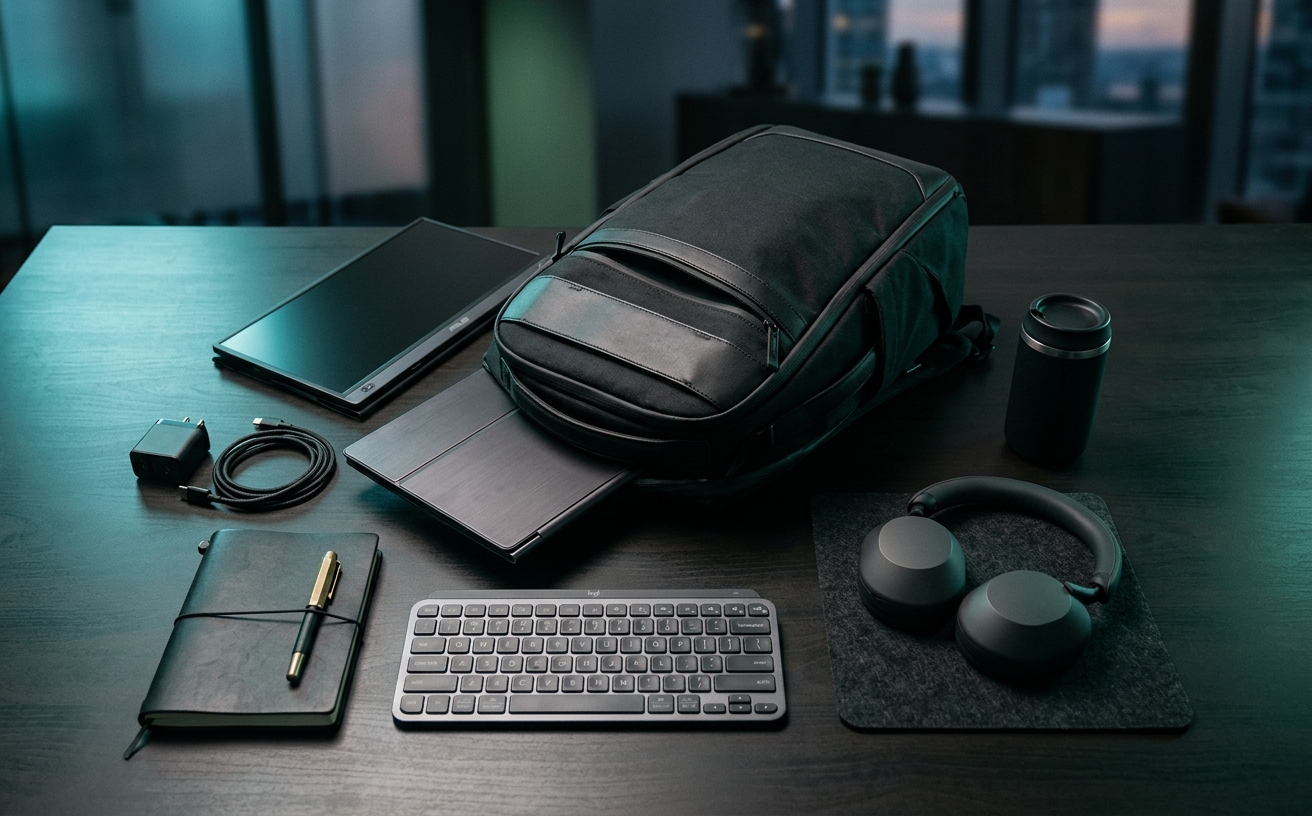
The initial purchase invoice for a portable monitor represents only a fraction of its total lifecycle cost. For professionals who operate across airport lounges, client boardrooms, and cramped hotel desks, a secondary screen is subjected to a brutal physical regimen. Packing and unpacking the unit multiple times a day introduces mechanical stress that stationary desktop displays never experience. When you factor in the physical toll of tightly packed carry-on luggage, the lateral tension placed on fragile connecting ports during transit, and the inevitable degradation of folding stands, the true financial impact of a mobile dual-screen setup emerges in its ongoing maintenance and replacement cycles. This audit examines the structural realities of traveling with a secondary display, focusing on how to anticipate hardware fatigue, mitigate peripheral wear, and calculate the actual cost of maintaining a multi-monitor workflow on the road.
The Hidden Toll of Bag Pressure and Panel Flex
Laptops are engineered with rigid aluminum or magnesium alloy chassis designed to protect their internal displays from the crushing forces of a packed travel bag. Portable monitors, conversely, are often little more than exposed LCD or OLED panels wrapped in minimal plastic housing to keep weight specifications low. When shoved into a heavily loaded backpack alongside power bricks, hard drives, and toiletry kits, the monitor becomes the weakest structural component. The resulting torsional stress—the twisting and bending of the panel as the bag shifts during transit—is the leading cause of premature hardware failure in travel displays.
The damage from this constant flexing rarely manifests as a catastrophic, immediate break. Instead, it appears as a slow degradation of the panel's integrity. Users will first notice subtle light bleed around the edges of the screen where the bezel has separated microscopically from the display layers. Over subsequent trips, pressure spots develop, appearing as permanently discolored patches where the liquid crystal layer has been compressed against the backlight assembly. Eventually, micro-cracks form in the substrate, rendering entire columns of pixels dead. The cost of this degradation is the total replacement of the unit, as panel repairs for portable monitors are economically unviable.
Mitigating this specific wear pattern requires an immediate secondary investment that alters the weight and bulk profile of the setup. The magnetic folios included by most manufacturers offer zero structural rigidity; they protect only against surface scratches. Preventing panel flex necessitates purchasing a dedicated, rigid hard-shell sleeve. This adds both financial cost and physical volume to the travel bag, forcing a calculation between the desire for an ultra-thin packing profile and the reality of replacing a crushed monitor every twelve months. Selecting a monitor with a thicker, milled aluminum enclosure increases the upfront cost but significantly flattens the long-term replacement curve.
Port Degradation and Cable Fatigue
The USB-C connection serves as the critical lifeline for most portable monitors, handling both power delivery and video signal simultaneously. In a travel context, this single point of failure is subjected to continuous mechanical abuse. Working on an airplane tray table or a tiny coffee shop counter often forces the connecting cable into sharp bends, applying severe lateral torque directly to the internal pins of the monitor's port. Every time a traveler hastily yanks the cable to pack up for a boarding call, the microscopic solder joints connecting the port to the monitor's logic board weaken.
The cables supplied in the box by manufacturers are typically thick, stiff, and highly resistant to bending. While this protects the wiring inside the cable, it transfers all the mechanical stress directly to the fragile port. Managing this wear requires discarding the stock cables and investing in high-quality, braided cables with right-angle connectors. A right-angle plug routes the cable parallel to the monitor's edge, drastically reducing the leverage applied to the port when the cable is bumped or pulled. This represents a recurring maintenance cost, as even premium cables will eventually suffer internal wire fraying from constant coiling and uncoiling.
The economics of port failure are unforgiving. If a USB-C port becomes loose or detaches internally, the monitor is effectively dead. To prolong port lifespan, users must adopt strict operational protocols: never packing the monitor with the cable attached, inspecting the port weekly for accumulated lint that prevents full connector seating, and replacing cables at the first sign of connection dropouts. Treating the cable as a consumable item that requires annual replacement is the most effective strategy for protecting the permanent, non-repairable port on the monitor itself.
Hinge Mechanics and Stand Fatigue
The mechanism that holds the monitor upright is subject to more daily friction than any other component in a travel setup. Many manufacturers rely on origami-style magnetic folios that fold into a triangular base. In a demanding travel schedule, these folios degrade rapidly. The microfiber interior surfaces act like magnets for dust, crumbs, and grease from public tables, which then transfer directly to the screen when packed. More critically, the internal magnets lose their alignment, and the crease lines lose their stiffness after hundreds of folding cycles, resulting in a monitor that collapses mid-meeting.
Monitors equipped with built-in, deploying kickstands offer a more stable initial experience, but they introduce their own mechanical maintenance timeline. These stands rely on friction hinges to maintain the user's chosen viewing angle. Over time, the constant deployment and stowage wear down the internal friction washers. The stand gradually loses tension, leading to screen sag. A monitor that slowly tilts backward over the course of a two-hour focus block becomes a severe ergonomic liability, forcing the user into a hunched posture to maintain a proper viewing angle.
Calculating the lifecycle cost of stand failure requires looking at the repairability of the hardware. Some premium portable monitors feature exposed hex screws on their hinges, allowing users to manually retighten the friction mechanism as part of routine maintenance. Most, however, use sealed hinge assemblies. Once a sealed hinge loses its tension, the user is forced to either prop the screen up with books or purchase a separate, external tablet stand. This external stand adds yet another item to the packing list, increasing the physical footprint and total cost of the mobile workspace.
Power Draw and Host Device Battery Degradation
A frequently overlooked maintenance cost of a portable monitor setup is the accelerated wear it inflicts on the host laptop's battery. Most travel monitors lack internal batteries to keep weight down, drawing all necessary power directly via the USB-C connection. Driving a secondary 15-inch display, especially at the high brightness levels required to combat glare in sunlit airport terminals, significantly increases the continuous wattage draw on the laptop. This forces the laptop's battery to discharge at a much faster rate than normal.
The hidden financial impact here is the increase in charge-discharge cycles. Lithium-ion batteries have a finite lifespan, typically rated for a specific number of full cycles before their capacity degrades below eighty percent. By halving the laptop's runtime during travel work sessions, the portable monitor effectively doubles the frequency of required charging sessions. This accelerated cycling pushes the laptop battery toward its end-of-life replacement schedule months or even years earlier than anticipated, representing a substantial, indirect maintenance cost of the dual-screen setup.
Mitigating this power drain requires strategic adjustments to the travel workflow. Users can lower the secondary screen's brightness, limit the display of bright white backgrounds, or route power through a secondary external battery bank. Utilizing a power bank with pass-through charging shifts the chemical wear and tear away from the expensive, difficult-to-replace internal laptop battery and onto a cheaper, easily replaceable external accessory. This strategy, however, adds weight to the travel bag and requires managing the charge levels of multiple devices before a flight.
Environmental Exposure and Screen Coating Wear
Unlike desktop monitors that sit in climate-controlled, relatively sterile office environments, travel monitors are exposed to a chaotic array of environmental hazards. They are set up on sticky coffee shop counters, exposed to the dry, dusty air of airplane cabins, and subjected to constant fingerprinting as they are pulled in and out of bags. This environmental exposure directly attacks the monitor's anti-glare coating and optical clarity, requiring a rigorous and specific cleaning protocol to prevent permanent surface damage.
The degradation of screen coatings is a permanent, non-reversible form of wear. Travelers often make the mistake of using hotel bathroom towels, alcohol-based hand sanitizers, or generic glass cleaners to wipe down a smudged screen. These abrasive materials and harsh solvents strip the delicate matte finish, leaving permanent glossy streaks that catch overhead lighting and render the screen unreadable in bright environments. The friction from a dirty folio cover rubbing against the screen inside a tightly packed bag can also wear away the anti-glare layer over time.
Proper screen maintenance requires carrying dedicated cleaning supplies as part of the travel kit. High-density microfiber cloths, stored in sealed plastic bags to prevent them from picking up abrasive grit, are mandatory. Cleaning should only be performed with distilled water or specifically formulated optical cleaners. Accepting that a travel monitor requires more frequent, careful cleaning than any other piece of hardware is essential. Failing to maintain the surface coating effectively reduces the monitor's usable lifespan just as quickly as a mechanical failure.
Decision checklist
- Inspect the USB-C port weekly for accumulated lint and test the connection for lateral wobble.
- Rotate connecting cables every six months to prevent internal wire fraying and port strain.
- Clean the display panel exclusively with distilled water and a sealed, grit-free microfiber cloth.
- Verify the structural integrity of the hard-shell travel sleeve before packing into a dense carry-on.
- Test the friction tension of the built-in kickstand or the magnetic alignment of the folio cover monthly.
Who should skip this
Professionals whose travel consists primarily of point-to-point journeys where they set up a workstation in a single hotel room for an entire week should bypass portable monitors entirely. If the screen is not being packed and unpacked multiple times a day across various transit hubs and temporary desks, the durability compromises and ergonomic limitations of a portable panel are unnecessary. These users are better served by requesting a standard desktop monitor from their hotel or utilizing the television in their room as a secondary display, avoiding the carrying weight and maintenance overhead altogether.
Maintenance note
Maintaining a portable monitor setup is an ongoing process of stress reduction. The daily routine must include detaching all cables before moving the unit, even across a room, to protect the fragile internal ports. Packing requires ensuring the screen faces the rigid side of the laptop rather than the soft exterior of the bag to minimize pressure points. Monthly maintenance involves using compressed air to clear the connection ports, washing the microfiber cleaning cloths to remove accumulated oils, and inspecting cable strain reliefs for early signs of splitting.
The Connected Desk funds its editorial operations through reader support. When you purchase workspace hardware or travel accessories through the links provided in our audits, we may earn a commission. This process does not influence our evaluation of hardware durability, maintenance costs, or mechanical design.
FAQ
Does using a right-angle USB-C cable actually extend the lifespan of the monitor?
Yes. Right-angle connectors route the cable flush against the monitor's chassis, significantly reducing the lateral leverage and torque applied to the internal port pins when the cable is accidentally bumped.
Are magnetic folio covers sufficient for protecting the screen in a backpack?
No. Magnetic folios protect against surface scratches but offer zero structural rigidity. They cannot prevent the torsional flex and pressure spots caused by tightly packed luggage, which require a rigid hard-shell sleeve.
Should I look for a high refresh rate panel for travel work?
For standard productivity and text-based work, higher refresh rates are unnecessary and actively detrimental. They increase the continuous power draw from the host laptop, accelerating battery drain and chemical wear.
Can a loose built-in kickstand be repaired at home?
This depends entirely on the manufacturer's hinge design. Stands with exposed hex screws can be manually retightened. Sealed friction hinges cannot be serviced by the user and require external support once they lose tension.