Portable Office Kit for Train Days
Field notes for portable office kit for train days: what changes during calls, handoffs, travel days, and long focus blocks, without turning the desk into a showroom.
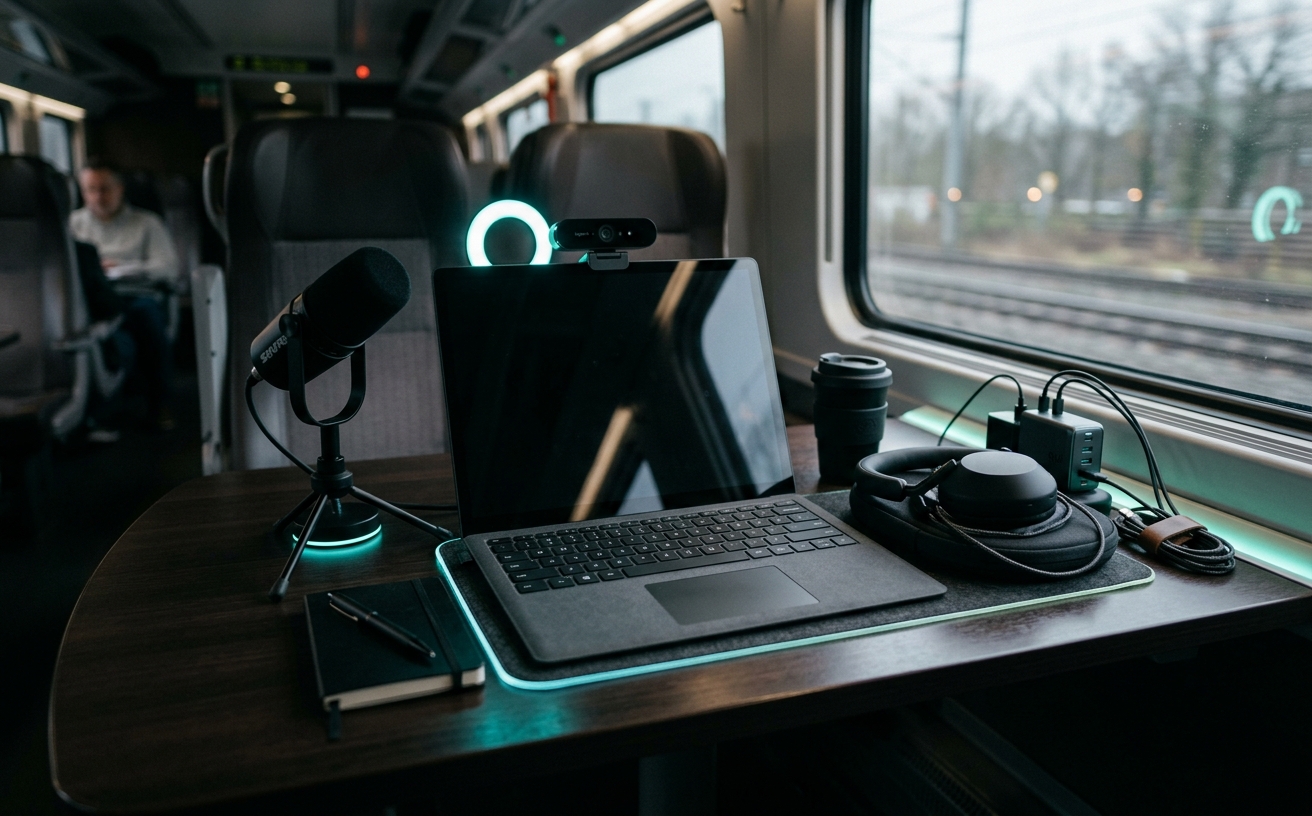
Working on a moving train presents a unique set of physical constraints: vibrating tray tables, unpredictable sunlight, intermittent power access, and the constant threat of spilled coffee. Building a portable office kit for these environments is rarely about buying the most expensive hardware; rather, it requires a strict audit of maintenance costs and failure rates over time. When your primary workspace is a regional rail line or an intercity express, a frayed cable or a degraded power bank battery does not just cause a minor inconvenience—it actively halts your earning capacity. This audit examines the true lifecycle costs of transit-focused workspace gear, prioritizing equipment that survives repeated packing cycles, thermal shifts, and the physical friction of constant mobility without requiring constant, expensive replacements.
The Structural Envelope: Backpacks and Hardware Protection
The financial baseline of any mobile setup begins with the bag housing it, where hidden maintenance costs usually manifest in failed zippers and degraded weatherproofing. Commuter backpacks are subjected to daily abrasion against train seats, overhead luggage racks, and concrete platforms, exposing the stitching and structural foam to relentless wear. A bag constructed from low-denier nylon might save capital upfront, but replacing a water-damaged laptop because a seam failed during a station transfer instantly negates those savings.
We evaluate bag longevity through the specific failure points of hardware and suspension. Weather-resistant zippers, while stiffer to operate, prevent the slow ingress of moisture that corrodes USB ports and degrades logic boards over months of winter commuting. Similarly, closed-cell foam padding in the laptop compartment resists compression over time, whereas open-cell foam flattens after six months of carrying heavy power bricks, eventually transferring the shock of a dropped bag directly to your aluminum chassis.
Internal organization also dictates the lifespan of your secondary gear. Bags lacking dedicated, suspended pockets for tablets and portable monitors force these fragile glass panels to bear the structural load of the bag when packed tightly. Investing in a bag with rigid internal dividers or utilizing a dedicated tech pouch prevents the bending stress that leads to localized screen pressure marks, effectively extending the functional life of your secondary displays by years.
Power Infrastructure and Cable Strain
Train power outlets are notoriously unreliable, often delivering dirty power, loose connections, or simply failing to function entirely. This reality forces transit workers to rely heavily on high-capacity power banks, which introduces the most predictable maintenance cost in any mobile kit: lithium-ion battery degradation. A high-capacity battery cycled daily will lose roughly twenty percent of its total charge capacity within a year, meaning your safety net shrinks precisely when you rely on it most during extended delays.
To mitigate this recurring expense, the audit favors modular charging approaches over single monolithic bricks. Utilizing a primary gallium nitride wall charger with multiple high-wattage outputs allows you to draw power efficiently when train outlets are functional, saving battery cycles for true emergencies. When selecting the power bank itself, models with digital readouts of wattage and battery health provide advance warning of cell degradation, allowing you to replace the unit before it fails completely during a critical work session.
Cable attrition represents another persistent, low-level financial drain. The sharp angles required to plug into lower-seat outlets or cramped tray tables place immense stress on cable collars, leading to frayed shielding and intermittent charging drops. Standardizing on braided cables with reinforced strain relief collars, and packing them in loose coils rather than tight bundles, dramatically reduces the frequency of replacement. A premium cable that lasts three years is a significantly better investment than a cheap alternative that shorts out every three months and risks damaging your primary device.
Input Devices for Constrained Surfaces
The standard drop-down train tray table offers approximately sixteen by ten inches of usable surface area, a dimension that instantly invalidates standard-sized keyboards and broad mouse movements. Compacting your input devices is mandatory, but miniaturization often compromises durability. Low-profile membrane keyboards, frequently chosen for travel, suffer from dome collapse after a year of heavy typing, resulting in missed keystrokes and requiring complete hardware replacement since the switches cannot be serviced.
Transitioning to a compact mechanical keyboard shifts the maintenance model from disposable to repairable. Hot-swappable switch sockets allow you to replace a single failing key for pennies rather than discarding the entire board. Furthermore, high-quality plastic keycaps resist the shining and texture wear that plagues cheaper materials after months of exposure to the oils on your hands, maintaining a professional appearance and consistent tactile feedback throughout the hardware's lifespan.
Navigating a screen via mouse on a vibrating, slick tray table is ergonomically disastrous and physically frustrating. Trackballs and premium trackpads eliminate the need for surface area, but they introduce their own maintenance requirements. Trackball bearings accumulate dust and skin oils rapidly in transit environments, requiring weekly cleaning to prevent sensor tracking failure. Factoring in this routine maintenance is essential; ignoring it leads to erratic cursor movement that destroys focus blocks and artificially accelerates the perceived need for hardware replacement.
Acoustic Isolation and Wearable Maintenance
Sustained focus on a train requires aggressive acoustic isolation from engine drone, passenger conversations, and automated announcements. Active noise-cancelling headphones are mandatory for this environment, but they carry substantial hidden maintenance costs. Over-ear headphone pads are constructed from synthetic leathers and memory foams that react poorly to sweat, skin oils, and the friction of being repeatedly shoved into cramped backpacks, often flaking and splitting within eighteen months of daily use.
When auditing audio gear for long-term transit use, the availability and cost of replacement parts must dictate the purchase decision. Headphones with proprietary, glued-on ear pads force a complete unit replacement when the foam inevitably degrades. Conversely, models with magnetic or simple snap-in replacement pads allow you to refresh the acoustic seal and physical comfort for a fraction of the cost, extending the lifecycle of a premium headset from two years to five or more.
True wireless in-ear monitors offer a highly portable alternative, but their maintenance profile is dictated entirely by battery chemistry. Because the internal batteries are microscopic and subjected to constant drain-and-charge cycles inside their cases, they degrade significantly faster than over-ear models. If you rely on in-ear audio for daily train travel, you must budget for complete hardware replacement every two to three years, as the batteries will eventually fail to hold a charge long enough to survive a standard intercity commute.
Visual Privacy and Glare Mitigation
Working with sensitive documents in close proximity to strangers necessitates visual privacy, while the harsh, strobing sunlight cutting through train windows requires aggressive glare management. Magnetic privacy screens serve both functions simultaneously, but they are highly susceptible to physical damage. When removed and stored improperly, these rigid plastic sheets easily crease or scratch, instantly ruining their optical clarity and necessitating a costly replacement for what is essentially a passive sheet of polycarbonate.
The maintenance cost of privacy screens is entirely mitigated by strict storage protocols. Storing a magnetic screen loose in a laptop compartment guarantees it will be crushed by power bricks or bent by the laptop chassis during transit. Utilizing a dedicated rigid sleeve for the privacy filter, or leaving it permanently attached between the laptop screen and keyboard using a microfiber buffer cloth, prevents the micro-scratches and bends that force annual replacements.
Beyond physical screens, managing visual fatigue involves maintaining the laptop's own display hardware. The constant vibration of a train tray table forces the laptop hinge to support the screen's weight under dynamic load. Over time, heavy typing on a vibrating surface loosens the hinge clutch, causing the screen to wobble uncontrollably. Selecting a laptop with a machined aluminum chassis and a robust, stiff hinge—and periodically having a technician tighten the internal tension screws—prevents the structural fatigue that makes working in transit physically nauseating.
Decision checklist
- Verify the availability and pricing of replacement ear pads for your chosen noise-cancelling headphones before purchase.
- Standardize all charging cables to braided nylon with reinforced strain relief to prevent fraying at sharp tray-table angles.
- Source a rigid, dedicated sleeve for magnetic privacy screens to prevent creasing when stored in a tightly packed bag.
- Audit power banks every six months using a USB multimeter to measure actual capacity against the manufacturer's stated rating.
- Clean trackball bearings or mouse optical sensors weekly with isopropyl alcohol to prevent transit dust from ruining tracking accuracy.
Who should skip this
This specific audit is unnecessary for professionals whose train travel consists solely of short, twenty-minute urban commutes where the laptop remains safely stowed in a bag. If your transit time is utilized for catching up on podcasts rather than executing deep-focus work blocks, investing in heavy-duty modular power systems, rigid privacy screens, and repairable mechanical keyboards introduces unwarranted weight and complexity to your daily carry.
Maintenance note
The baseline maintenance routine for a train-based office kit requires a dedicated fifteen-minute audit every Sunday evening. This involves wiping down all hardware with a microfiber cloth to remove abrasive grit picked up from public tables, using compressed air to clear lint from USB-C ports on laptops and power banks, and verifying that all high-capacity batteries are topped off. Ignoring port hygiene inevitably leads to loose cable connections, which simulate hardware failure and often trick users into discarding perfectly functional cables or chargers.
The Connected Desk funds its independent editorial operations through affiliate partnerships. When you purchase workspace hardware or travel accessories through the links provided in our audits, we may earn a commission. This revenue model does not dictate our coverage; we only recommend equipment that meets our strict internal standards for lifecycle durability, repairability, and long-term maintenance costs.
FAQ
How do I prevent my laptop from sliding off a vibrating train tray table?
Apply a set of high-friction, aftermarket silicone feet to the bottom of your laptop chassis. These provide significantly more grip than standard hard rubber feet and absorb micro-vibrations, preventing the device from migrating toward the edge during high-speed rail sections.
Is it worth buying a portable external monitor for train travel?
Generally, no. The footprint of a standard tray table cannot safely accommodate a laptop and a secondary screen without risking a drop. Furthermore, the fragile nature of portable monitors drastically increases your hardware replacement budget due to the high probability of screen cracks in transit.
Why does my power bank charge my laptop so slowly on the train?
You are likely using a cable that is not rated for high-wattage power delivery, or the power bank's output is stepping down due to thermal throttling in a warm train cabin. Always pair a high-wattage power bank with an e-marked USB-C cable certified for 100W transmission to ensure maximum charging efficiency.
How often should I expect to replace my travel backpack?
A premium commuter backpack constructed from high-denier ballistic nylon with weather-resistant hardware should last five to seven years before structural failure. If you are replacing your bag every two years due to blown zippers or torn straps, you are buying under-spec equipment that is artificially inflating your maintenance costs.