Power Banks for Long Commute Days
A desk audit for power banks for long commute days, focused on comfort, recovery time, shared-work constraints, and the details that reduce Monday-morning friction.
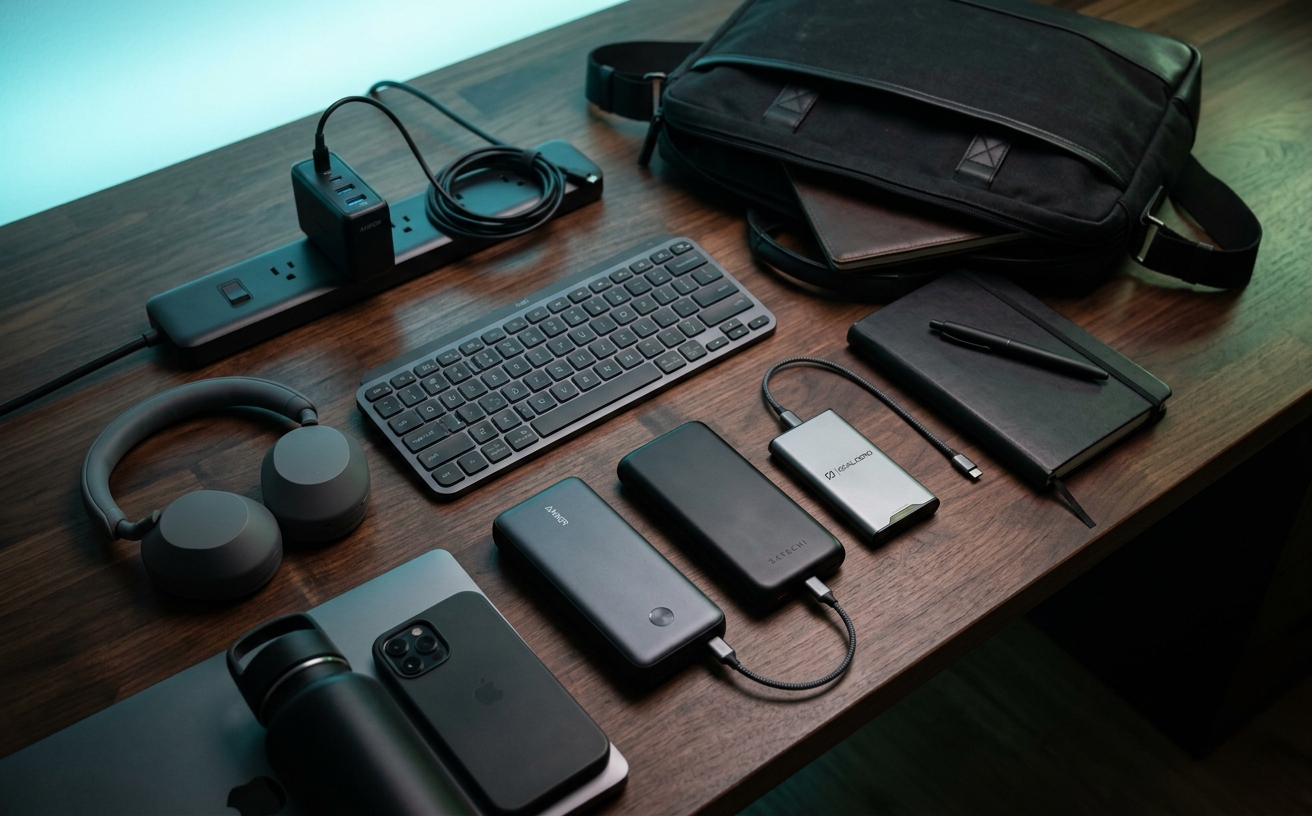
The transition from static office environments to distributed work models has fundamentally altered how organizations must approach hardware procurement. When a team member's primary workspace shifts fluidly between a commuter train, a client's conference room, and an airport terminal, relying on wall outlets becomes a logistical vulnerability. A dead laptop battery during a critical transit corridor is no longer just a personal inconvenience; it represents a hard stop on productivity and a breakdown in team communication. For IT managers and operations directors outfitting hybrid teams, standardizing portable power is now as essential as issuing secure laptops. This brief examines the strategic deployment of high-capacity power banks for long commute days, focusing on the technical specifications, physical constraints, and lifecycle management required to keep a distributed workforce operational regardless of their physical proximity to a power grid.
The Baseline Requirements for Fleet Power
The foundational metric for any fleet-deployed power bank is its watt-hour (Wh) rating, which directly dictates both its charging capacity and its legality for air travel. Aviation authorities strictly cap lithium-ion batteries at 100 watt-hours for carry-on luggage without requiring special airline approval. In practical terms, this translates to a maximum capacity of approximately 27,000 milliamp-hours (mAh). When procuring hardware for a team that frequently flies, standardizing on units that sit just below this threshold ensures maximum available power while avoiding security checkpoint confiscations. Equipping staff with anything larger introduces unnecessary travel friction, while anything significantly smaller risks failing to provide a full laptop charge during extended layovers.
Capacity alone is insufficient without the appropriate output wattage. Modern enterprise laptops, particularly those utilized by developers, designers, and analysts, draw substantial power under load. A power bank outputting 30W or 45W will merely slow the rate of discharge if the user is actively running resource-intensive applications or participating in video conferences. To ensure the battery actually replenishes during use, procurement teams must specify power banks equipped with USB-C Power Delivery (PD) ports capable of at least 65W output, with 100W or 140W being the preferred standard for high-performance machines. This guarantees that the hardware functions as a true secondary power source.
Port architecture is the final pillar of baseline requirements. The era of outfitting teams with USB-A heavy power banks has passed. A modern, future-proofed portable power strategy requires dual or triple USB-C ports. This configuration allows an employee to simultaneously fast-charge their primary workstation and a secondary communication device, such as a corporate smartphone or a wireless headset, without carrying multiple battery packs. Furthermore, standardizing exclusively on USB-C PD simplifies the cable inventory that IT departments need to manage and distribute, reducing the overall complexity of the travel kit issued to each team member.
Weight, Bulk, and the Commuter's Reality
The physical toll of carrying high-capacity power banks is a frequently overlooked factor in hardware deployment. A maximum-capacity, 100Wh lithium-ion battery inherently possesses significant mass, often weighing between one and one-and-a-half pounds. When added to a commuter's backpack alongside a laptop, a tablet, noise-canceling headphones, and necessary documentation, this additional weight contributes noticeably to daily fatigue. Operations teams must evaluate the realistic transit patterns of their staff. If the majority of the team engages in heavy pedestrian commuting, issuing a slightly lower capacity, lighter unit might yield higher employee satisfaction and actual utilization than forcing a heavy brick into their daily carry.
Beyond raw weight, the physical form factor of the power bank dictates how seamlessly it integrates into existing travel gear. Power banks generally fall into two design categories: dense, block-like rectangles and wider, flatter slabs. For professionals utilizing slim briefcases or minimalist laptop sleeves, flat power banks are vastly superior. They slide into secondary compartments without creating awkward, localized bulges that strain zippers and make bags difficult to stow under airplane seats. Conversely, block-style units often require bags with dedicated, three-dimensional tech pouches. Selecting a form factor that aligns with the standard professional bags ensures the equipment is actually carried.
This necessitates a tiered approach to procurement based on employee roles. A one-size-fits-all deployment often fails in practice. Road warriors who endure multi-leg international flights require the maximum 27,000mAh capacity and must accept the associated weight penalty. However, regional commuters who spend two hours on a train with unreliable outlets might be better served by a 15,000mAh to 20,000mAh unit. This mid-tier capacity provides enough power to bridge the gap between the office and the home while significantly reducing the physical burden. By matching the hardware to the specific logistical realities of the commute, organizations optimize both utility and comfort.
Standardization and IT Procurement
Permitting a Bring Your Own Device approach to portable power introduces unacceptable risks to corporate hardware and employee safety. The consumer market is flooded with unbranded, heavily discounted power banks that falsely advertise their capacities and cut corners on internal safety circuitry. A catastrophic failure of a cheap lithium-ion battery can destroy a company-issued laptop through voltage spikes or cause thermal runaway resulting in fire. IT procurement must strictly mandate power banks from established manufacturers that carry recognized safety certifications, such as Underwriters Laboratories (UL) or Conformité Européenne (CE). Standardizing on vetted hardware protects the organization's broader technology investment.
A high-performance power bank is entirely rendered useless if paired with an inadequate cable. A frequent point of failure in distributed power strategies is issuing premium 100W power banks but allowing employees to use legacy, low-rated charging cables. A standard consumer USB-C cable often caps out at 60W or lacks the necessary e-marker chip required to negotiate higher power delivery safely. To ensure the intended charging speeds are actually realized, IT departments must bundle certified, 100W-rated braided USB-C cables with every deployed power bank. Treating the battery and the cable as a single, inseparable procurement unit eliminates the most common troubleshooting complaints.
Organizations must implement a defined lifecycle management strategy for portable power. Unlike static peripherals such as monitors or keyboards, lithium-ion batteries are consumable assets with a finite lifespan. Depending on usage frequency and charging habits, a power bank will experience significant capacity degradation after 300 to 500 charge cycles. A unit deployed three years ago may now only hold half of its original charge, failing the employee precisely when they need it most. Operations teams should track power bank deployments and establish a proactive, 24-to-36-month replacement cycle. This ensures that the fleet remains reliable during critical travel days.
Real-World Workflow Integration
Integrating a high-capacity power bank into a daily workflow changes how professionals navigate transient workspaces. Instead of entering a coffee shop, an airport lounge, or a client's temporary workspace and immediately scanning the baseboards for an available wall outlet, employees can prioritize seating based on comfort, privacy, or acoustics. This untethered approach allows for immediate productivity upon arrival. The power bank effectively becomes the primary power source for the duration of the offsite work block, preserving the laptop's internal battery for moments when deploying the external battery is physically impractical, such as during a bumpy taxi ride.
Pass-through charging is a critical workflow feature that procurement teams must verify during the selection process. This capability allows the power bank to be plugged into a wall outlet while simultaneously charging a connected laptop or phone. For professionals navigating complex travel itineraries, hotel rooms often feature a frustrating lack of accessible outlets. Pass-through charging enables an employee to use a single wall socket to charge their entire hardware stack overnight. The wall adapter charges the power bank, which in turn intelligently routes power to the connected devices, ensuring that both units are at maximum capacity by morning.
Managing the thermal realities of high-wattage charging is an essential educational component of deploying these kits. Transferring 100 watts of power generates substantial heat within both the power bank and the receiving device. If an employee attempts to charge their laptop while both devices are buried deep inside a densely packed, insulated backpack, the lack of airflow can trigger thermal throttling. This safety mechanism drastically slows the charging rate to prevent damage, negating the benefits of fast charging. Teams must be instructed to charge devices in open air or well-ventilated spaces whenever possible, ensuring optimal charging speeds.
Calculating the ROI of Uninterrupted Work
The financial justification for outfitting an entire team with premium portable power is straightforward when calculating the cost of uninterrupted work. The hourly billable rate or the internal cost of a senior consultant, software engineer, or sales director far exceeds the procurement cost of a high-end power bank. If a dead laptop battery forces an employee to halt work during a three-hour train commute or causes them to drop off a critical client negotiation while in transit, the organization incurs a tangible financial loss. Viewing power banks as an insurance policy against lost productivity transforms them into mandatory infrastructure.
Beyond the hard metrics of billable hours, providing reliable portable power significantly reduces travel-related anxiety. Navigating delayed flights, extended layovers, and back-to-back offsite meetings is inherently stressful. When employees are constantly monitoring their battery percentages and rationing their application usage to conserve power, their focus shifts away from their actual work. Supplying a guaranteed, high-capacity power reserve removes this cognitive load. Team members can confidently run demanding software, join lengthy video calls, and maintain constant communication with their departments, knowing they have the necessary resources to support their workflow regardless of logistical disruptions.
A successful deployment strategy requires coordination between IT, HR, and operations. Portable power kits should be integrated directly into the standard hardware onboarding process for all remote, hybrid, or travel-heavy roles. Rather than forcing employees to request these tools after experiencing a power emergency, the organization should proactively issue the power bank, the high-wattage cables, and a protective carrying case alongside the primary laptop. This standardized approach ensures that every team member begins their tenure equipped for the realities of modern, distributed work, fostering a culture of preparedness and demonstrating the company's commitment to supporting their staff.
Decision checklist
- Verify the power bank supports at least 65W (ideally 100W+) USB-C Power Delivery for active laptop charging.
- Confirm the total battery capacity remains strictly under the 100Wh (approx. 27,000mAh) aviation regulatory limit.
- Ensure the unit carries recognized safety certifications like UL or CE to prevent hardware damage.
- Bundle the power bank with an e-marked, 100W-rated USB-C cable to guarantee maximum power transfer.
- Test the unit's pass-through charging capabilities to allow simultaneous overnight charging from a single wall outlet.
Who should skip this
Professionals who maintain a strictly static workflow, commuting exclusively via personal vehicle between a fully equipped home office and a traditional corporate desk, will find little utility in high-capacity portable power. If your daily routine guarantees constant access to reliable wall outlets and your transit time does not involve active work on a laptop, the added weight, bulk, and expense of a premium power bank are unnecessary. Similarly, those who only use low-draw devices like e-readers or basic tablets during their commute can rely on much smaller, pocket-sized battery packs rather than enterprise-grade laptop chargers.
Maintenance note
To maximize the lifecycle of fleet-deployed lithium-ion power banks, organizations must educate users on basic battery chemistry care. Power banks should not be left fully depleted for extended periods, nor should they be stored indefinitely at 100% capacity, as both extremes accelerate cellular degradation. For long-term storage, maintaining a charge level between 50% and 70% is optimal. Furthermore, employees must be warned against leaving these units in environments with extreme temperatures, such as the trunk of a car during summer or winter, as severe heat or cold will permanently damage the internal cells and drastically reduce the unit's overall capacity.
The Connected Desk operates as an independent editorial publication. We may earn a commission through affiliate partnerships when you purchase hardware or accessories through links on our site. These commissions support our editorial operations but do not influence our procurement guidelines, hardware evaluations, or strategic recommendations for workspace infrastructure.
FAQ
Can a standard phone power bank charge a corporate laptop?
Generally, no. While a standard phone power bank might trickle-charge a laptop while it is powered off, it lacks the wattage output required to charge a laptop actively in use. Laptops require power banks with USB-C Power Delivery (PD) capable of outputting at least 65W.
What is the maximum power bank capacity allowed on commercial flights?
Aviation authorities mandate that lithium-ion batteries carried in passenger cabins must not exceed 100 watt-hours (Wh) without prior airline approval. This translates to roughly 27,000mAh. Power banks must always be packed in carry-on luggage, never in checked bags.
How long should a company expect a deployed power bank to last?
With regular use, a high-quality lithium-ion power bank will typically endure 300 to 500 full charge cycles before experiencing noticeable capacity degradation. For frequent travelers, IT departments should plan for a replacement cycle every 24 to 36 months to ensure reliability.
Why is my 100W power bank charging my laptop so slowly?
The most common culprit for slow charging is the cable. If you pair a 100W power bank with a standard consumer USB-C cable rated for only 60W, the system will throttle the power transfer. You must use a cable equipped with an e-marker chip rated for 100W or higher.