Privacy Screens for Cafes
A workspace-ops note on privacy screens for cafes, with attention to desk depth, setup friction, team reuse, and the small adjustments that still matter after the first week.
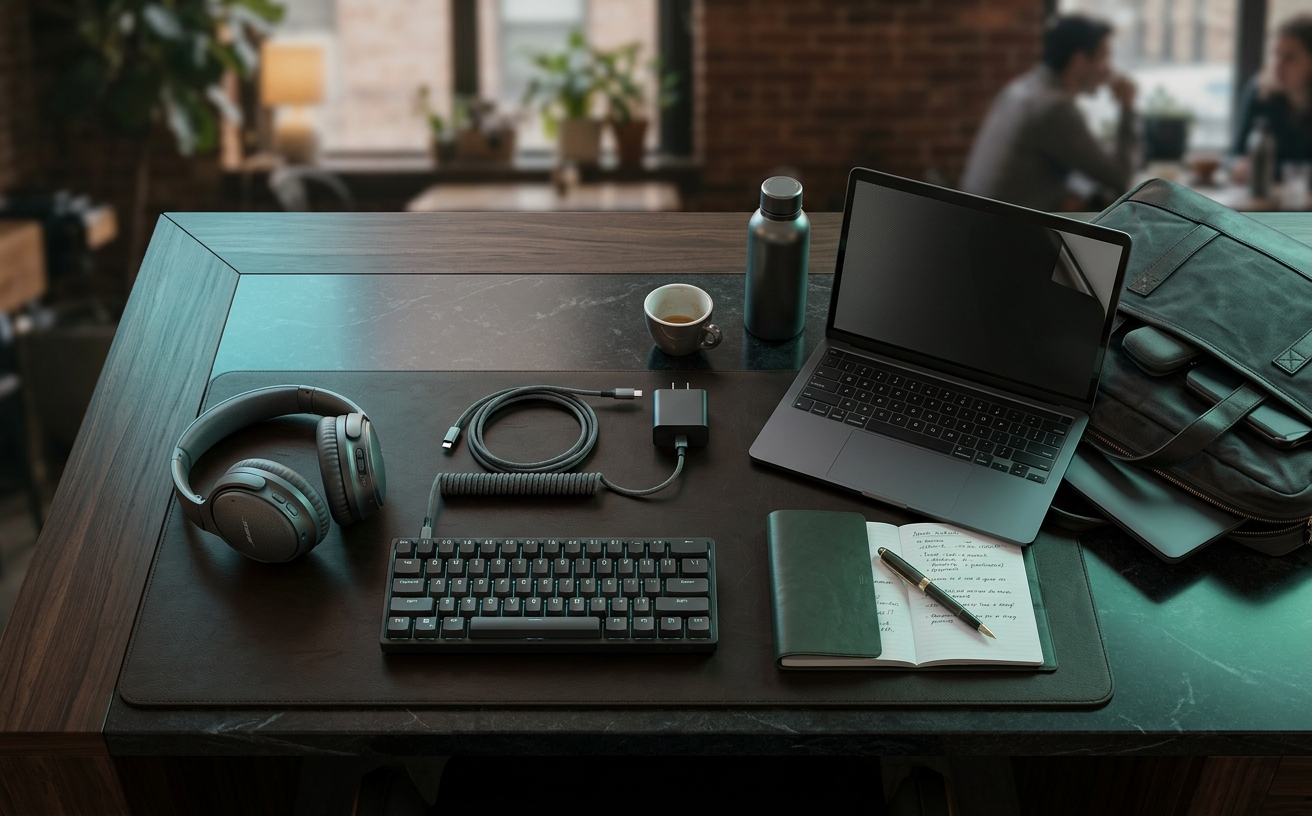
Working from a neighborhood cafe introduces immediate spatial and security constraints that a home office entirely avoids. When you transition from a private desk to a twenty-four-inch bistro table, your screen becomes visible to adjacent patrons, passing staff, and anyone waiting in line. A privacy screen mitigates this visual vulnerability, utilizing micro-louver technology to narrow the viewing angle of your display. However, integrating this layer of security into a mobile workflow requires navigating physical limitations. You must account for hinge tolerances when closing the laptop, storage solutions for rigid filters when transitioning to collaborative meetings, and the inevitable battery drain caused by compensating for reduced screen brightness. This guide examines the structural and optical variables of privacy screens, focusing on how different attachment methods and filter types perform under the strict physical constraints of public, small-format workspaces.
Magnetic vs. Adhesive Attachment Systems
The physical mechanism used to secure a privacy screen dictates how seamlessly it integrates into a transient workflow. Magnetic filters embed thin magnetic strips along the top bezel, allowing the user to snap the screen on and off instantly. This system requires a laptop with a flush, magnetic bezel, which is common on modern premium aluminum laptops but lacking on many polycarbonate models. The primary advantage here is rapid deployment; when a sensitive spreadsheet is closed and you transition to answering casual emails, the screen can be removed in one second to restore full display brightness and clarity.
Conversely, adhesive systems rely on either double-sided clear tape applied directly to the display or plastic mounting tabs placed around the bezel edges to create a slot. While these methods offer universal compatibility regardless of the laptop's chassis material, they introduce distinct friction points in a cafe environment. Adhesive tabs create a semi-permanent physical lip that catches dust and backpack lint over time. Furthermore, sliding a flexible filter in and out of tight plastic tabs on a cramped cafe table often results in fingerprints across the display or bent filter corners.
In small-space environments, the choice between these systems comes down to storage and handling footprint. A magnetic screen requires zero elbow room to install—you simply align it with the top bezel. However, once removed, it demands a rigid, flat storage location to prevent snapping the magnetic strip. Adhesive-mounted screens are generally intended to be left in place permanently, which solves the storage issue but forces the user to accept a permanent reduction in screen brightness, a significant penalty when working in poorly lit cafes or adjacent to bright, glaring windows.
Viewing Angle Limitations and Optical Clarity
Privacy screens operate using microscopic vertical blinds, known as micro-louvers, embedded within the polymer film. These louvers dictate the viewing cone, typically restricting visibility to a sixty-degree angle directly in front of the display. Anyone positioned outside this thirty-degree left or right threshold sees only a darkened, obscured screen. In a tightly packed cafe where tables are often separated by mere inches, this sixty-degree cone is highly effective at blocking the lateral gaze of the person sitting immediately next to you, ensuring client data or internal communications remain confidential.
The physical trade-off for this security is a severe reduction in optical clarity and light transmission. Even when viewed dead-on, a privacy filter reduces display brightness by roughly twenty to thirty percent. Additionally, the micro-louvers create a subtle, persistent grid-like texture across the screen, which degrades text sharpness and alters color accuracy. Most premium screens offer a reversible design, featuring a glossy finish on one side to enhance clarity and a matte finish on the opposite side to diffuse harsh overhead pendant lighting typical of commercial coffee shops.
This reduction in light transmission creates a secondary hardware constraint: battery consumption. To achieve a comfortable reading luminance through the darkened filter, users must increase their laptop's backlight brightness significantly. When operating from a small cafe table without access to a wall outlet, this increased power draw noticeably reduces total battery runtime. Users relying on privacy screens during long transit days or extended focus blocks must factor this accelerated drain into their power management strategy, often necessitating the addition of a high-capacity portable power bank to their daily carry.
Structural Rigidity and Transit Protection
The material composition of a privacy screen determines its durability during the frequent packing and unpacking cycles inherent to remote work. Flexible PET film screens are lightweight and thin enough to remain installed on the laptop when the lid is closed, assuming the hinge tolerance allows it. However, if they must be removed, their flexibility becomes a liability. A loose PET film placed inside a standard backpack compartment is highly susceptible to creasing, and once a micro-louver screen is creased, the optical distortion is permanent and cannot be flattened out.
Rigid acrylic privacy screens offer a more robust alternative, utilizing a thicker, unbendable substrate that often hangs over the laptop bezel rather than adhering to it. These screens provide secondary physical protection for the laptop display against accidental impacts or spills on crowded tables. Yet, their rigid nature introduces severe transport limitations. They cannot be left on the laptop when closed, and they require a dedicated, hard-sided sleeve or a precisely sized laptop compartment to transport safely, adding bulk to a minimalist bag setup.
The spatial dynamics of a cafe table further complicate the handling of rigid screens. If a barista approaches or a colleague sits down for an impromptu review, removing a rigid acrylic screen leaves you holding a fourteen-inch sheet of plastic with nowhere to put it. On a small bistro table already occupied by a laptop, a coffee cup, and perhaps a notebook, a removed screen becomes an immediate hazard. Flexible magnetic screens offer slightly more maneuverability in these tight spaces, but still require careful handling to avoid picking up table debris.
Four-Way vs. Two-Way Privacy Filtration
Standard privacy screens provide two-way protection, blocking lateral views from the left and right. For the vast majority of cafe layouts, where seating is arranged side-by-side along a wall or banquette, two-way filtration addresses the primary vector of visual compromise. It protects your data from the patron sitting at the adjacent table while maintaining enough vertical light transmission to keep the screen legible for the primary user without maximizing the laptop's backlight.
Four-way privacy screens introduce horizontal micro-louvers in addition to the vertical ones, restricting the viewing angle from the top and bottom as well as the sides. This configuration is specifically engineered for environments where individuals might be standing behind or above the user. In a coffee shop, this translates to protection against wandering eyes from people standing in the order line or baristas walking past high-top seating. If your typical workspace positions your back to an active walkway, four-way filtration provides a necessary, comprehensive visual shield.
However, the integration of a second layer of micro-louvers exacts a heavy toll on display performance. Four-way screens are inherently darker and thicker than their two-way counterparts, often reducing light transmission by up to fifty percent. This dramatic darkening makes them exceptionally difficult to use in brightly lit cafes or near large storefront windows. Furthermore, the restricted vertical viewing angle means the user must maintain a perfectly static, upright posture; slouching or adjusting the laptop hinge even slightly will cause the screen to black out for the user themselves.
Sizing Precision and Bezel Interference
Procuring a privacy screen demands exact millimeter precision rather than relying on generalized diagonal screen measurements. Laptop manufacturers utilize wildly different bezel widths, aspect ratios, and corner radiuses, even within the same diagonal size class. A generic fourteen-inch privacy filter applied to a laptop with edge-to-edge glass will either overlap the chassis edges, preventing the lid from closing, or fall short of the display boundary, creating a distracting, bright halo effect around the perimeter of the darkened workspace.
Modern display bezels also house critical hardware that privacy screens can inadvertently disable. Webcams, ambient light sensors, and infrared facial recognition modules are frequently embedded in the top bezel. If a privacy screen lacks the precise cutouts for these components, it will immediately degrade video call quality, force the laptop to miscalculate auto-brightness adjustments, and completely break biometric login features. Users must verify that the specific screen model accounts for their exact laptop's sensor array layout to avoid constant removal and reinstallation.
Finally, the physical clearance between the keyboard deck and the display glass on modern ultra-thin laptops is often measured in fractions of a millimeter. Leaving even a thin PET film privacy screen installed when closing the lid can bridge this gap, placing undue stress on the hinge mechanism or pressing the screen against the keys, transferring oils and risking pressure marks. In a fast-paced cafe environment where you may need to quickly shut the laptop to secure a table or take a call outside, this clearance limitation dictates whether a screen is truly practical.
Decision checklist
- Measure the exact millimeter width and height of the active display area, excluding the bezels, to ensure edge-to-edge coverage without chassis overlap.
- Verify the physical location of ambient light sensors and biometric cameras to confirm the screen features precise, unobstructed cutouts.
- Test the laptop's lid closure tolerance with a standard sheet of paper to determine if leaving a flexible screen installed will stress the hinges.
- Evaluate your typical cafe seating position; select a two-way filter for wall-facing banquettes or a four-way filter if your back is exposed to foot traffic.
- Allocate a rigid, flat compartment within your daily carry bag specifically for storing the screen when transitioning to color-critical work or collaborative meetings.
Who should skip this
Professionals whose workflows rely on precise color accuracy and high contrast ratios should forgo privacy screens entirely. Graphic designers, photographers, and video editors will find that the micro-louver technology inherently shifts color temperatures, crushes black levels, and introduces a subtle grid texture that obscures fine image details. Because the screen diffuses light, it is impossible to perform reliable color grading or retouching with a filter installed. If your role requires visual precision, rely on physical positioning—such as sitting with your back to a solid wall—rather than optical hardware to maintain privacy in public workspaces.
Maintenance note
Maintaining the optical clarity of a privacy screen requires strict adherence to safe cleaning protocols, as the polymer surface is easily scratched and degraded by harsh chemicals. Never use alcohol-based solvents, glass cleaners, or abrasive paper towels, which will strip the matte coating and permanently cloud the micro-louvers. Instead, remove the screen from the laptop, lay it flat on a clean surface, and gently wipe it with a premium microfiber cloth lightly dampened with distilled water. For washable adhesive strips, rinse them under warm water and allow them to air dry completely to restore their tackiness after they accumulate backpack lint.
The Connected Desk sustains its editorial operations through independent research and reader support. When you purchase workspace hardware through the links provided in our guides, we may earn a commission. This funding model allows us to maintain strict editorial standards and focus entirely on the functional realities of remote work gear, free from manufacturer influence.
FAQ
Do privacy screens drain laptop battery faster?
Indirectly, yes. Because privacy filters reduce light transmission by twenty to thirty percent, users naturally increase the laptop's backlight brightness to compensate. Running a display at maximum brightness to push light through the micro-louvers significantly accelerates battery drain, which is a critical factor when working away from wall outlets.
Can I leave a magnetic privacy screen attached when closing my laptop?
This depends entirely on the manufacturer's hinge tolerances. Many ultra-thin laptops, such as modern MacBooks, have virtually zero clearance between the keyboard and the glass. Closing the lid with a magnetic screen attached can stress the hinges, prevent the device from entering sleep mode, or even crack the display under pressure.
Will a privacy screen eliminate glare from bright cafe windows?
Most privacy screens feature a reversible design with a matte finish on one side specifically to diffuse glare from windows and overhead lighting. However, while it reduces sharp reflections, the matte surface scatters the light, which can cause the display to appear hazy or washed out when positioned in direct, harsh sunlight.
How do I clean dust and lint off the adhesive mounting tabs?
Standard double-sided adhesive tabs cannot be cleaned once fouled by dust and must be replaced using spares provided by the manufacturer. However, some premium screens utilize washable silicone adhesive strips at the edges; these can be gently rinsed with warm water and air-dried to fully restore their original stickiness.