Remote Onboarding without Calendar Overload
A remote-work review of remote onboarding without calendar overload, looking at setup time, reliability, portability, and what breaks when the calendar gets crowded.
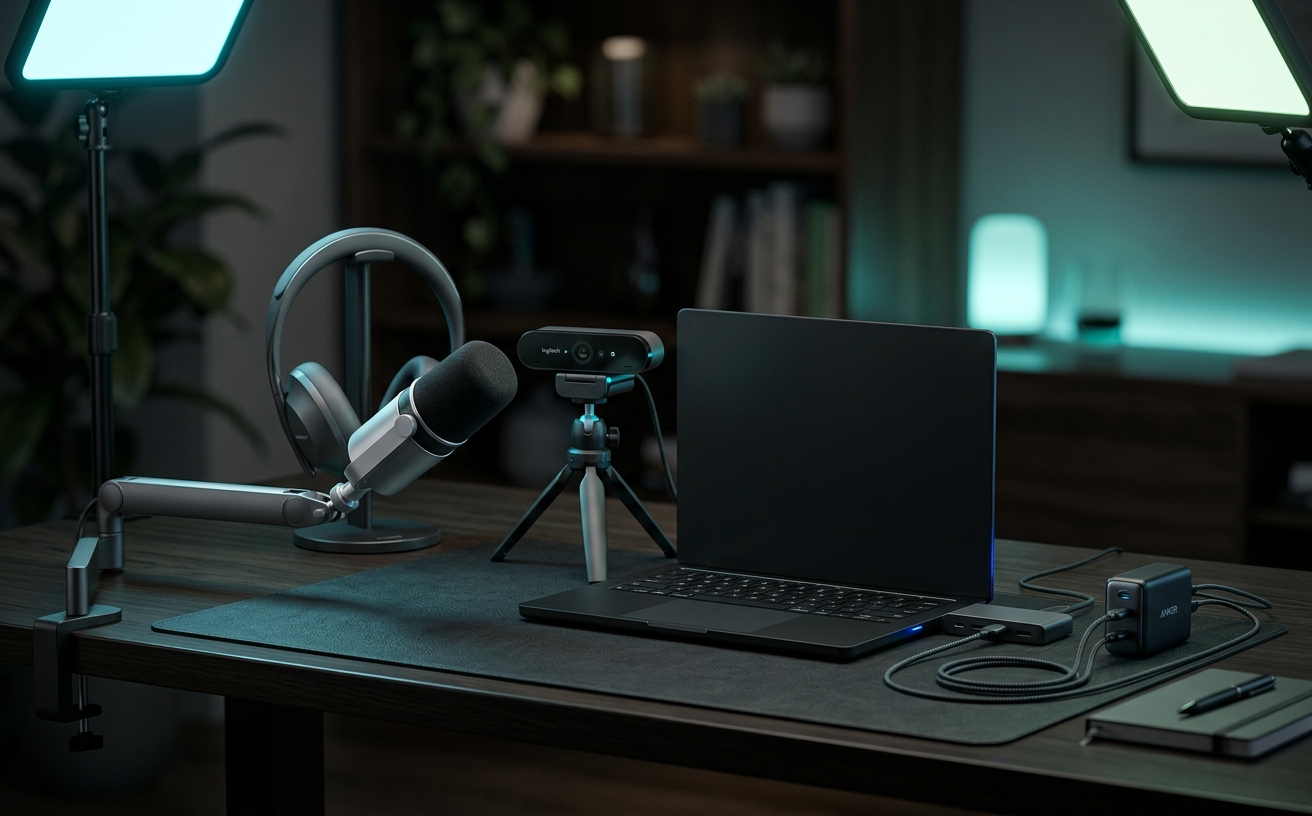
Remote onboarding traditionally defaults to a grueling schedule of synchronous video calls, leaving managers behind on their own deliverables and new hires exhausted by screen fatigue. When you treat integration as a series of calendar events, the entire process breaks down the moment a manager faces a travel day, a prolonged focus block, or an unexpected operational fire. A durable remote onboarding system shifts the burden from live interaction to meticulously designed physical and digital environments. By front-loading the friction—pre-configuring hardware, structuring asynchronous documentation, and establishing clear communication boundaries—you build a repeatable framework. This approach allows your core team to maintain their standard working rhythm while giving the incoming employee a self-paced, robust map of their new workspace, ensuring productivity does not halt just because calendars fail to align.
Hardware Provisioning as the First Impression
The onboarding experience begins the moment the shipping box arrives. Organizations frequently err by treating hardware provisioning as an afterthought, relying on the new hire to assemble a workspace from personal peripherals and delayed corporate shipments. A repeatable system requires standardizing the physical kit. When a laptop, external display, and necessary ergonomic accessories arrive in a single delivery, it eliminates the initial friction of mismatched cables and incompatible drivers. This physical foundation is vital because hardware deficiencies directly translate into calendar requests for IT troubleshooting, instantly defeating the goal of a low-touch integration.
To prevent the dreaded IT setup call on Monday morning, devices must be enrolled in a Mobile Device Management (MDM) solution prior to shipping. Zero-touch deployment means the laptop opens to a customized portal, automatically downloading security certificates, communication tools, and password managers based on identity credentials. The employee simply connects to Wi-Fi and authenticates. Removing the manual installation of individual software packages eliminates dozens of micro-interruptions that typically plague a manager's schedule during the first week. The hardware functions as an autonomous tool rather than a dependency requiring supervision.
Standardizing the physical workspace also levels the playing field for audio and video quality, the primary medium for remote collaboration. Providing a dedicated external microphone and proper lighting ensures the new hire can participate clearly in asynchronous video workflows. If an employee struggles with a laptop's built-in microphone echoing in a sparse room, their recorded updates become difficult to parse, forcing the team back into synchronous calls for clarity. A predictable, high-quality hardware baseline protects the integrity of the asynchronous systems that follow.
The Asynchronous Digital Hub
The traditional method of teaching software workflows involves a manager sharing their screen while the new hire desperately takes notes. This process is hostile to retention and impossible to scale. Transitioning to an asynchronous digital hub requires replacing live shadowing sessions with a curated library of screen recordings. Using dedicated capture tools, managers record standard operating procedures—such as navigating the CRM or submitting expense reports—during their normal workflow. When a new hire needs to understand a process, they consult the video, pausing and rewinding as necessary, completely bypassing the need to interrupt deep work.
A video library is only functional if aggressively organized within a central knowledge base. Dumping files into a shared cloud drive creates a maze that generates more questions than it answers. The digital workspace must be architected with a clear taxonomy, utilizing platforms to embed videos alongside written context, required links, and access credentials. This repository acts as the primary source of truth. When the architecture is logical and searchable, the new hire learns to query the system before querying a human, shifting the culture toward self-reliance.
To ensure this digital hub withstands repeated use across multiple hiring cycles, it must include built-in feedback mechanisms. Documentation inevitably drifts from reality as software interfaces update. By embedding a simple flagging system—allowing the new hire to mark a specific video as outdated—the repository becomes self-correcting. The new hire acts as an auditor, identifying broken links or confusing instructions. The manager can then record a replacement video during their next natural interaction with that software, maintaining accuracy without scheduling massive overhaul projects.
Protecting Focus Blocks During Ramp-Up
Managers often sabotage their own productivity by adopting an always-available posture during a new hire's first month. Leaving direct messaging channels open to constant interruption fractures attention and trains the employee to rely on immediate answers rather than independent problem-solving. To maintain deep work blocks, communication must be batched. Establishing dedicated office hours—two specific 30-minute windows per week reserved entirely for live Q&A—provides guaranteed access while fencing off the rest of the calendar. This structure forces the employee to compile questions, often leading them to solve their own problems beforehand.
Between these office hours, asynchronous communication must be strictly routed to appropriate channels rather than direct messages. Creating a dedicated onboarding channel in your team chat application ensures questions are visible to the entire department. This transparency prevents the manager from becoming a single point of failure. If the primary supervisor is locked in a strategy session, another team member can provide the necessary context. Answering questions in a public channel also builds a searchable archive, continuously reducing the volume of questions requiring human intervention for future hires.
Distributing the support load through a structured peer buddy system further insulates the manager's calendar. Assigning a peer mentor who operates in a similar time zone provides the new hire with a low-stakes contact for operational questions. This buddy is not responsible for performance evaluation, removing pressure from the interaction. By rotating this responsibility among different team members for each new hire, the organization prevents any single employee from bearing the brunt of the onboarding tax, ensuring the department maintains standard output while providing a welcoming environment.
Managing Travel Days and Interrupted Schedules
A resilient onboarding system must survive the inevitable disruptions of corporate travel, sick days, and urgent client escalations. If a new hire's progress depends entirely on synchronous approvals from a manager boarding a flight, the employee is left stranded. To prevent dead time, the first 30 days must be structured around independent project tracks. These tracks consist of low-risk, high-context tasks the employee can execute from start to finish without gatekeeper sign-off. Even if the manager is offline for consecutive days, the new hire has a clear mandate that advances their understanding.
Designing independent milestones requires decoupling access from authorization. The new hire must be granted permissions to research, draft, and stage work within the company's project management software on day one. Rather than waiting for a live meeting to discuss a marketing campaign, the employee can draft the strategy document in a shared workspace. The manager can review this work asynchronously during a layover, providing feedback via comments or a quick screen recording. The work moves forward regardless of overlapping schedules.
Workspace tools must also support this decoupled workflow by functioning reliably in low-bandwidth scenarios. If onboarding documentation is locked behind a VPN requiring constant authentication, or if the project management tool fails to sync local changes, a traveling manager cannot effectively review progress. Utilizing cloud infrastructure that allows for offline editing and automatic background syncing ensures feedback loops remain tight. A manager can review a document on a train, add annotations, and trust the system will push updates the moment a connection is re-established.
Refining the System for Repeated Cycles
Viewing onboarding as a static checklist is a fundamental error; it must be treated as an internal product requiring continuous iteration based on user feedback. The stress test for your asynchronous system occurs every time a new employee navigates it. At the end of the first 30 days, conducting a structured debrief focused entirely on onboarding mechanics yields critical data. Identifying exactly where the new hire felt stalled, which documentation was confusing, and where they felt forced to request a synchronous meeting highlights vulnerabilities in your calendar defense strategy.
This feedback loop directly informs the maintenance of hardware and software provisioning protocols. If a new hire reports their external display lacked the correct adapter, or a software license took three days to clear, those friction points are immediately patched in the master deployment checklist. By treating logistical failures as system bugs rather than isolated incidents, you harden the process for the next cycle. The goal is to ensure the same logistical error never consumes calendar time twice, progressively lowering the administrative burden.
Ultimately, the success of a low-calendar-overhead onboarding system relies on discipline. It is often easier in the moment to jump on a quick call to explain a process rather than recording a video or updating a wiki page. However, that momentary convenience sacrifices long-term scalability. Managers must commit to the asynchronous architecture, consistently directing new hires back to documentation and updating resources when they fall short. This disciplined approach transforms onboarding from an exhausting calendar event into a predictable background process that respects organizational focus.
Decision checklist
- Pre-configure all shipped hardware with a Mobile Device Management (MDM) profile to ensure zero-touch deployment and eliminate the standard day-one IT setup meeting.
- Record five core operational workflows using asynchronous screen capture tools and index them in a centralized, searchable digital workspace.
- Block two specific 30-minute open office hour slots on your weekly calendar strictly for new hire questions, batching inquiries to protect your deep work blocks.
- Design a 14-day independent project track that requires zero synchronous approval to advance, ensuring the new hire remains productive during your travel days.
- Establish a dedicated, public team chat channel exclusively for onboarding Q&A to build a searchable archive and distribute the support load across peers.
Who should skip this
If your organization relies on highly synchronous, pair-programming-heavy workflows, or operates in a rapid-response environment where immediate verbal communication is the actual product—such as a live trading desk or emergency dispatch—this asynchronous-heavy approach will introduce unnecessary friction and delay operations.
Maintenance note
Keeping this system functional requires a scheduled quarterly audit of your asynchronous video library and hardware provisioning checklists to ensure software interface updates, security policy changes, or discontinued hardware models have not rendered your foundational documentation obsolete.
The Connected Desk is reader-supported. When you purchase workspace hardware, MDM solutions, or software subscriptions through links in our guides, we may earn a commission that supports our editorial team's independent research.
FAQ
How do we prevent the new hire from feeling isolated without daily check-in calls?
Replace generic status check-ins with structured, asynchronous updates. Reserve your limited synchronous time for high-value relationship building, strategic alignment, and complex problem-solving rather than rote reporting.
What is the most common failure point in an asynchronous onboarding system?
Outdated documentation. If a new hire follows a recorded workflow that no longer matches the current software interface, their trust in the self-serve system immediately collapses, driving them straight back to your calendar.
Should we ship monitors and ergonomic chairs directly, or provide a remote work stipend?
Providing a stipend reduces logistical overhead for your HR team, but shipping a standardized, pre-approved hardware kit ensures the new hire actually possesses professional-grade equipment on day one, avoiding delays caused by personal purchasing choices.
How long should the asynchronous-heavy onboarding phase last?
A robust system should cover the first 30 to 45 days. After this initial period, the ratio should gradually shift from self-serve learning to active, collaborative project work as the employee gains sufficient institutional context.