Small Apartment Remote Setup
A practical setup brief for small apartment remote setup, judged by repeat use, cable paths, ergonomics, maintenance, and whether a teammate could copy the system.
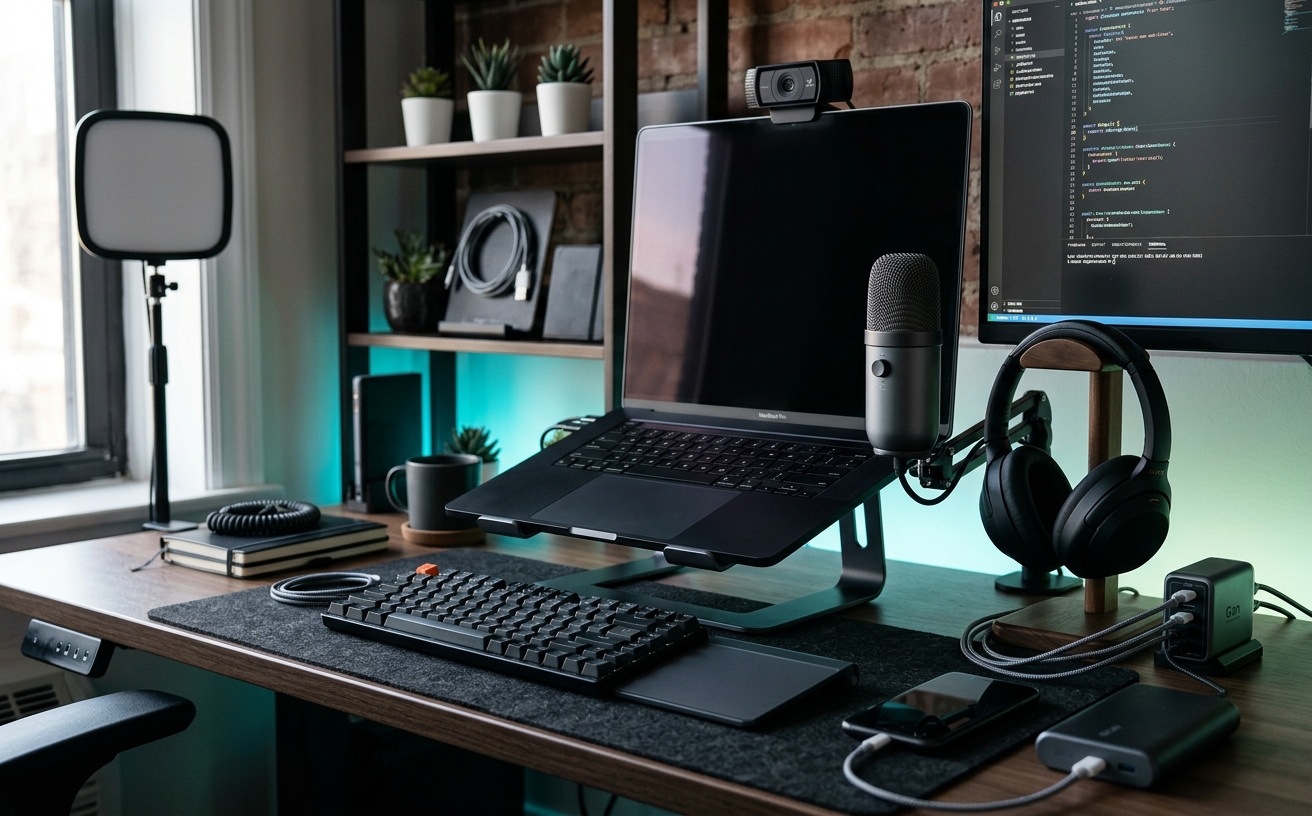
The true cost of a remote workspace in a small apartment extends far beyond the initial purchase of a desk and a monitor. The hidden tax is paid in daily maintenance: the time spent clearing off a dual-purpose dining table, the frustration of untangling cords after a travel day, and the psychological burden of sleeping three feet away from your blinking work laptop. When square footage is severely constrained, your workstation cannot afford to be fragile or high-maintenance. It must absorb the impact of repeated video meetings, intense focus blocks, and the inevitable clutter of daily life without requiring constant recalibration. This audit examines the structural, thermal, and ergonomic decisions necessary to build a compact remote setup that prioritizes endurance. By minimizing the friction of setting up, tearing down, and living alongside your hardware, you can establish a workspace that remains functional and professional, regardless of the spatial limitations of your apartment.
The Footprint-to-Friction Ratio
A dedicated workspace in a small apartment immediately competes with your living area, creating a zero-sum game for available floor space. When square footage is limited, the physical footprint of your desk dictates the traffic flow of the entire room. If your setup requires shifting a task chair out of a primary walkway every time you stand up, or if the desk depth prevents a closet door from opening fully, the resulting physical friction will eventually degrade your focus. The objective is to establish a static footprint that requires absolutely no daily reconfiguration. You need a workstation that exists in a state of constant readiness, allowing you to transition into deep work without a preamble of moving furniture.
The hidden maintenance cost of multi-use surfaces is remarkably high. Dining tables or kitchen counters temporarily repurposed as desks incur a twice-daily teardown penalty. Over a single year, this equates to dozens of lost hours and creates a significant psychological barrier to starting your workday. Dedicated, narrow-depth desks—typically measuring twenty-four inches deep rather than the corporate standard of thirty inches—often solve this spatial conflict without dominating the room. A shallower desk forces strict discipline regarding what hardware is allowed to permanently occupy the surface, inherently reducing the accumulation of clutter.
When floor space is capped, the workspace infrastructure must grow upward rather than outward. Vertical integration is the most effective method for maximizing a small footprint. Utilizing heavy-duty monitor arms, wall-mounted acoustic panels, and under-desk mounting brackets for docking stations and power strips removes static hardware from the usable work surface. This vertical strategy drastically reduces the daily dusting and tidying burden. By keeping the primary desk surface entirely clear of everything except your immediate input devices, the workspace remains visually quiet and functionally prepared for immediate use upon your return.
Cable Management as Preventive Maintenance
In a compact living space, visible cables represent visual noise that amplifies the feeling of clutter, but the practical implications are far more severe. Poor cable management in a tight apartment actively invites physical hardware damage. Vacuuming around loose power bricks, snagging a headset cord on a passing laundry basket, or rolling a chair over an exposed display cable turns minor daily annoyances into expensive hardware replacement costs. Securing cables is not merely an aesthetic choice; it is a required preventative maintenance protocol that protects your equipment from the hazards of a multi-use environment.
For remote workers who frequently travel or shift between a living room sofa and their primary desk, the friction of reconnecting peripherals is a daily tax on productivity. Implementing a single-cable docking strategy is the most effective countermeasure. By hard-mounting a high-bandwidth dock beneath the desk surface and routing a single connection cable to the laptop position, you eliminate the daily friction of plugging in separate power, display, and peripheral cords. You simply drop the machine onto the stand, connect one cable, and transition instantly into a fully operational workstation.
Establishing permanent routing pathways and managing cable slack requires upfront effort but drops ongoing maintenance to near zero. Hard-mounting primary power strips to the underside of the desk and utilizing rigid cable trays ensures that no wires touch the floor. It is critical to leave intentional, measured slack for any sit-stand desk movement to prevent destructive port strain during height adjustments. This rigid infrastructure ensures that when you return from a week of travel, re-establishing your workstation takes seconds, not minutes of untangling cords behind a dusty desk.
Acoustic and Thermal Realities in Tight Quarters
Small rooms inherently amplify both sound and heat, creating environmental challenges that corporate offices manage through massive HVAC systems. A high-performance laptop driving dual external monitors and running continuous video conferencing software will generate significant thermal exhaust. In a standard hundred-square-foot bedroom office, this exhaust noticeably raises the ambient temperature over an eight-hour workday. This often requires opening windows or running localized fans, which immediately introduces unpredictable background noise into your client calls and disrupts the professional audio environment.
Managing this thermal load requires strategic hardware placement rather than reactive cooling. Keeping the primary laptop in a vertical stand with entirely unobstructed airflow prevents thermal throttling during heavy processing loads. Utilizing passive cooling stands or simply ensuring that the machine's exhaust vents are never blocked by notebooks or desk mats reduces the need for the laptop's internal fans to engage aggressive, loud cooling curves. By managing the heat at the source, you maintain a quieter baseline environment that requires less active climate control.
Acoustic treatment in rental apartments often conflicts with lease agreements, as gluing foam panels to drywall is rarely permissible. Instead of structural modifications, dense furnishings must act as practical sound dampeners. Placing a heavy, high-pile rug directly under the desk, installing thick blackout curtains, and strategically positioning bookshelves filled with varied materials effectively reduces the hard-surface echo that plagues small-room audio. This passive acoustic strategy ensures professional microphone quality for your meetings without requiring permanent architectural changes or compromising the aesthetic of your living space.
Ergonomic Endurance Without the Bulk
Standard ergonomic advice assumes access to a sprawling corporate floor plan. Massive, highly adjustable executive chairs and sprawling split-keyboard trays often physically cannot fit into a studio apartment alcove. The challenge is achieving necessary postural support for long hours without the workspace looking like a medical facility or physically blocking access to essential living areas. Ergonomics in a small space requires a strict compromise between the physical scale of the furniture and the biomechanical support it provides to the user.
Chair selection in a constrained footprint is the most critical ergonomic decision. Mid-back task chairs featuring breathable mesh profiles offer the necessary lumbar support for an eight-hour workday without dominating the visual space of a living room the way a high-back executive chair would. Additionally, swapping standard hard-plastic casters for rollerblade-style polyurethane wheels protects apartment hardwood or laminate flooring from damage without requiring a bulky, unsightly plastic floor mat that further clutters the room.
Monitor positioning is an essential ergonomic variable that can be optimized while consuming zero floor space. A gas-spring monitor arm clamped securely to the rear edge of the desk allows for precise height and depth adjustments while entirely freeing up the surface area underneath the display. This flexibility accommodates shifting postures throughout the day—allowing you to pull the screen closer for detailed spreadsheet work and push it back for video calls—preventing the cumulative neck and shoulder strain that inevitably follows hours of hunching over a static laptop screen.
The End-of-Day Disconnect Protocol
The psychological maintenance of working exactly where you sleep or relax is arguably the highest hidden cost of a small apartment setup. If your workstation is perpetually visible and illuminated, the critical boundary between professional obligations and personal recovery time dissolves. The physical setup must facilitate a clear, deliberate shutdown process that signals the definitive end of the workday to your brain. Without this physical transition, the proximity of the workspace leads to chronic low-level stress and eventual burnout.
Visual closure can be deliberately engineered into the workspace design. Utilizing a monitor light bar that clicks off with a tactile switch, closing the laptop clamshell, and sliding the keyboard and mouse out of sight under a desk shelf are physical actions that transition the space from active to dormant. In studio apartments, utilizing a folding room divider, a strategically placed tall plant, or even a ceiling-mounted curtain track can physically obscure the hardware, eliminating the anxiety of seeing your workstation from the sofa.
Treating routine maintenance as a daily shutdown ritual preserves the functionality of the tight space. Taking exactly sixty seconds at the end of the day to wipe down the desk surface, clear away empty coffee mugs, and reset the chair position ensures the space is immediately functional the next morning. This micro-habit prevents the gradual accumulation of clutter, preserving the utility of the small footprint and protecting your focus and energy for the demands of the following day.
Decision checklist
- Measure the exact clearance required for your task chair to roll back and swivel without striking apartment walls or adjacent furniture.
- Mount the primary power strip and all excess cable slack to the underside of the desk surface to keep the floor entirely clear for rapid vacuuming.
- Standardize your setup on a single-cable Thunderbolt or USB-C docking station to eliminate the daily friction of connecting multiple peripherals.
- Install a desk-clamped monitor arm to reclaim the critical desk depth normally consumed by factory display stands.
- Establish a physical end-of-day routine, such as turning off a dedicated desk lamp or closing the laptop clamshell, to visually separate work from living space.
Who should skip this
This guide is unnecessary for remote workers who possess a dedicated, separate home office with a door that can be closed at the end of the day. It is also not intended for casual remote workers who only log on for a few hours a week and can comfortably tolerate the ergonomic and organizational friction of working from a kitchen island or a living room sofa without experiencing hardware fatigue.
Maintenance note
Ongoing maintenance for a compact setup involves bi-weekly dusting of vertical laptop stands and monitor arm joints, as tight apartment spaces tend to accumulate particulate matter quickly. Every few months, verify that the cable slack on any sit-stand desk remains adequate and that under-desk adhesive cable clips have not degraded due to ambient heat from power bricks.
The Connected Desk maintains strict editorial independence. We may earn a commission from purchases made through links in this audit, but our hardware recommendations are based entirely on long-term structural viability, footprint efficiency, and maintenance requirements, never on manufacturer relationships.
FAQ
How deep should a desk be for a small apartment setup?
A depth of 24 inches is generally the optimal sweet spot. It provides enough distance for proper monitor viewing ergonomics when using a monitor arm, while preventing the desk from encroaching too far into the living space or walkway.
Can I use a standard dining chair for remote work to save space?
While acceptable for brief, occasional use, dining chairs lack the lumbar support, seat pan adjustability, and height variance required for daily remote work. Long-term use will inevitably lead to musculoskeletal strain and decreased focus.
How do I hide my monitors in a studio apartment when I am not working?
If a physical room divider is not possible, the best approach is visual minimization. Route all cables cleanly, use a dark or neutral screen saver, and connect your monitors to a smart plug so they power down completely, eliminating standby lights.
Are sit-stand desks worth the investment in a severely constrained space?
Yes, provided you account for the vertical clearance. You must ensure there are no wall-mounted shelves above the desk that the monitors could strike, and you must rigorously manage cable slack so nothing snags when the desk raises.