Work-from-home Noise Control
An operations-minded guide to work-from-home noise control, separating useful workflow support from gear that only looks tidy in a photo.
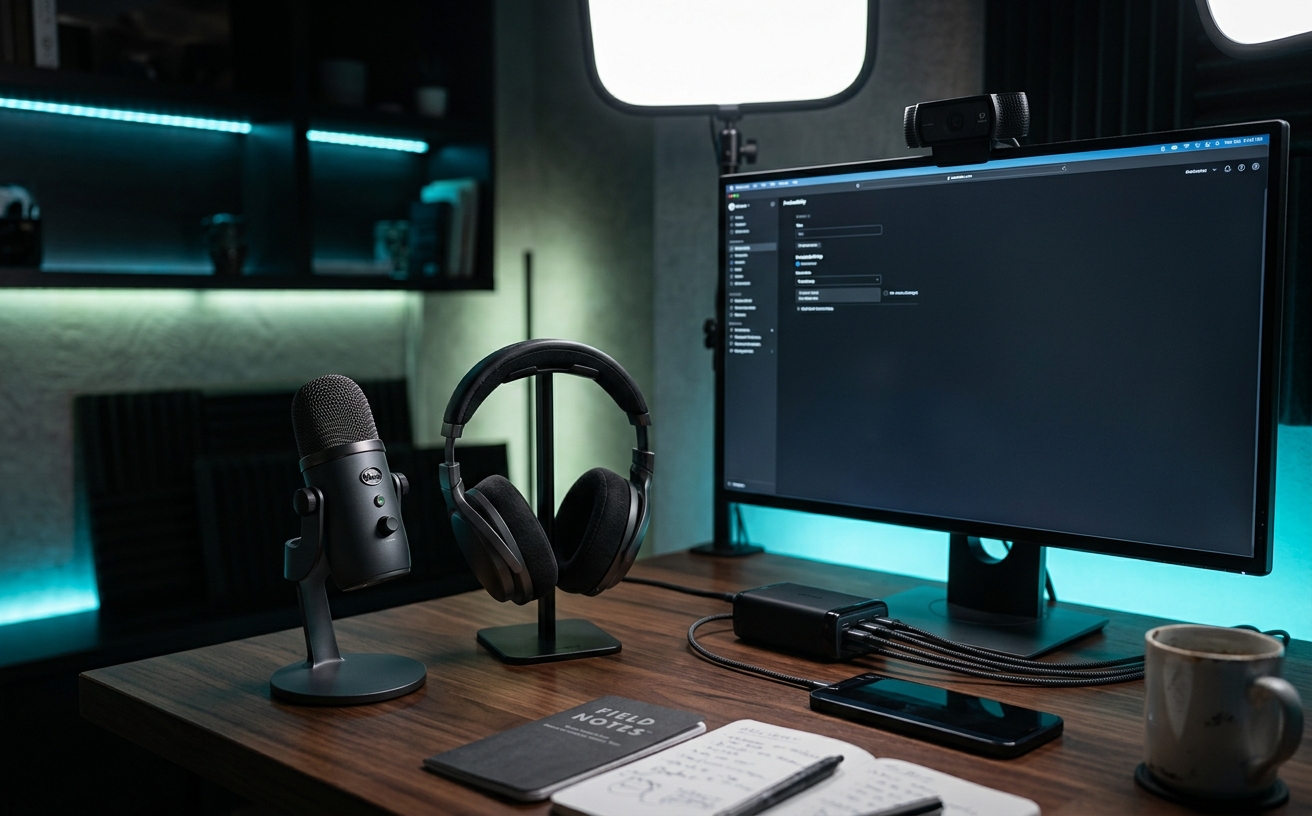
The cognitive load of working from home is rarely about the work itself; it is the constant, low-level vigilance required to manage your acoustic environment. You mute and unmute in a panic as a delivery truck idles outside, or endure the clamping pressure of heavy headphones during a four-hour block of back-to-back calls, only to pull them off and realize your jaw aches. Decision friction in workspace audio comes from trying to find a single, universal solution to a dynamic problem. A headset optimized for a crowded airport lounge will feel suffocating during a quiet afternoon of deep focus, while a sensitive desktop microphone will ruthlessly broadcast your neighbor's lawnmower to your executive team. Building a sustainable audio strategy requires moving away from reactive purchases and instead designing a layered system that handles repeated meetings, deep focus blocks, and the inevitable bleed of household life without forcing you to constantly recalibrate your equipment.
The Baseline of Passive Isolation
Before evaluating active noise cancellation or software filters, the physical boundaries of your workspace require attention. The most sophisticated electronics cannot entirely compensate for a room built with thin drywall, hard floors, and hollow-core doors. Sound operates like water, finding the path of least resistance through gaps under doors and unsealed window frames. Addressing these structural leaks is the foundation of acoustic control, significantly reducing the baseline noise floor of your environment before you ever put on a pair of headphones.
The immediate priority should be the door, which is the primary point of acoustic failure in most residential spaces. Standard interior doors are hollow and leave a substantial gap above the floor to accommodate HVAC return air. Installing a dense, weighted draft dodger or a permanent rubber door sweep immediately cuts high-frequency transmission from hallways and living areas. Upgrading to a solid-core door is a more intensive structural change, but it provides a permanent, passive barrier that fundamentally alters how household noise penetrates your workspace.
Inside the room, controlling reverberation is just as critical as blocking external sound. Hard surfaces—glass windows, bare drywall, hardwood floors—cause sound waves from your voice and external sources to bounce, creating a harsh, echoing environment that exhausts both you and the people listening to you on calls. Introducing mass and texture through heavy curtains, thick area rugs, and strategically placed bookcases breaks up these reflections. This passive dampening softens the acoustic profile of the room, reducing the workload on your microphone’s noise-filtering software.
Active Noise Cancellation Without the Fatigue
Active noise cancellation has become the default answer to workspace distraction, but relying on it for eight hours a day introduces a specific type of physical and cognitive fatigue. The technology works by utilizing external microphones to read incoming low-frequency noise and generating an inverse sound wave to cancel it out. While highly effective against the drone of an air conditioner, this constant artificial pressure can cause a sensation similar to cabin pressure in an airplane. Over prolonged periods, this subtle inner-ear strain creates a distinct physiological exhaustion.
The physical design of the hardware also contributes heavily to daily decision friction. High-end over-ear headphones provide excellent passive isolation to supplement their active electronics, but they rely on clamping force to maintain that acoustic seal. After three consecutive video calls, the pressure on your jaw and the heat buildup around your ears can become intolerable. Conversely, true wireless earbuds are lightweight, but their battery life rarely survives a full day of continuous use, forcing you into a frustrating cycle of single-ear swapping or mid-day charging breaks.
A sustainable approach involves utilizing ANC as a targeted tool rather than a permanent state. Reserve heavy, over-ear noise cancellation for dedicated, high-concentration focus blocks or environments with severe, continuous low-frequency disruption. For standard meetings and lighter administrative work in a relatively controlled home office, switch to open-ear audio, desktop speakers, or well-ventilated on-ear headsets that allow for natural airflow and situational awareness. By matching the hardware to the specific cognitive demand of the task, you preserve your physical comfort and extend your capacity to remain at the desk.
Microphone Directionality and Software Filtering
Managing what you hear is only half the equation; controlling what you broadcast to your colleagues is equally critical for professional presence. The default microphones integrated into laptops and consumer webcams are omnidirectional, designed to capture sound from a wide area. In a home office, this means they indiscriminately pick up keyboard typing, computer fan whine, and conversations happening in the next room. Relying on these built-in components forces you into a defensive posture, constantly hovering over the mute button and apologizing for interruptions.
The hardware solution lies in understanding microphone polar patterns, specifically the advantage of dynamic, cardioid microphones for untreated residential spaces. Unlike sensitive condenser microphones that capture every nuance of a room's acoustics, dynamic microphones are inherently less sensitive and require the sound source to be very close to the capsule. When positioned on a boom arm a few inches from your mouth, a dynamic mic naturally rejects off-axis noise from the sides and rear. This physical rejection of background sound is far more reliable than relying on algorithms.
Software noise suppression should be treated as a safety net, not the primary line of defense. Applications like Zoom, Teams, and dedicated tools like Krisp use machine learning to identify and remove non-human sounds from your audio stream. While highly effective at eliminating dog barks or sirens, aggressive software filtering often degrades the quality of your voice, clipping the ends of your words or introducing a robotic, metallic artifacting. By optimizing your physical microphone placement first, you can dial back the software suppression to a minimum.
Managing the Permeable Household Boundary
The most unpredictable variable in work-from-home noise control is the presence of other people and pets. Unlike the steady hum of traffic or an appliance, household noise is erratic, emotionally distracting, and often impossible to completely block with passive treatments or ANC. The friction here is largely relational; constantly asking family members or roommates to lower their voices breeds resentment and disrupts the natural rhythm of the home. Attempting to enforce absolute silence is a losing battle that ultimately makes the workspace feel hostile rather than productive.
Establishing clear, non-verbal boundaries is the most effective method for managing this shared environment. Visual indicators, such as a dedicated status light outside the office door, remove the ambiguity of whether you are in a casual workflow or a high-stakes presentation. When the light is red, the household knows to minimize noise and avoid interruptions; when it is green, the threshold is relaxed. This system only works if it is respected and used judiciously. If you leave the red light on for eight hours a day, it becomes background noise and loses its authority.
Strategic scheduling also plays a vital role in managing household acoustics. If you know the neighborhood landscaping crew arrives every Tuesday at noon, or that the post-school hours are inherently chaotic, fighting against that reality with heavier headphones is exhausting. Instead, align your calendar with the predictable rhythms of your environment. Schedule internal, camera-off syncs or deep-focus writing tasks during quiet windows, and reserve the noisier periods for administrative cleanup, email triage, or tasks that do not require an open microphone.
The Travel and Hybrid Transition Kit
The carefully calibrated audio ecosystem of your home office immediately falls apart the moment you need to travel, work from a cafe, or transition to a corporate hot-desk. Dragging a heavy boom arm, an audio interface, and premium over-ear headphones into a backpack is impractical and exposes expensive equipment to damage. Yet, relying solely on consumer wireless earbuds for a day of remote meetings often results in terrible microphone performance, as their tiny, ear-level microphones struggle to isolate your voice from the ambient roar of a coffee shop or airport terminal.
Eliminating friction during these transitions requires building a dedicated, secondary travel kit that lives permanently in your bag. This kit should prioritize portability, reliable connectivity, and aggressive vocal isolation over studio-grade fidelity. A high-quality, wired headset with a physical boom microphone remains the gold standard for mobile work. It requires no charging, avoids Bluetooth pairing conflicts when switching between a phone and a laptop, and places a directional microphone directly in front of your mouth, ensuring you are heard clearly regardless of the chaos happening around you.
For those who refuse to abandon wireless mobility, the focus must shift to devices with dedicated USB dongles rather than native Bluetooth. Dongle-based wireless headsets operate on a dedicated 2.4GHz frequency, providing a significantly more stable connection, lower latency, and better bandwidth for both audio playback and microphone transmission. This ensures that when you open your laptop in a hotel room, your headset connects instantly and reliably, bypassing the standard operating system pairing menus and allowing you to drop seamlessly into your workflow without missing a beat.
Decision checklist
- Install a weighted draft dodger or rubber sweep at the base of your primary office door to block high-frequency noise transmission.
- Mount a dynamic cardioid microphone on a suspension boom arm, keeping the capsule within three inches of your mouth to naturally reject room noise.
- Place a visual status light outside your workspace to communicate strict focus blocks or active broadcast times to the rest of the household.
- Disable automatic gain control and lower aggressive software noise suppression in your meeting apps once your physical microphone placement is optimized.
- Pack a dedicated wired headset with a physical boom mic in your travel bag to bypass Bluetooth pairing friction and battery anxiety on the road.
Who should skip this
Individuals who live alone in detached housing, situated in quiet neighborhoods, and who have the luxury of a dedicated room with substantial soft furnishings. If your daily routine rarely involves back-to-back video conferences, and your primary work consists of asynchronous, solitary tasks where ambient environmental sounds are pleasant rather than distracting, investing heavily in directional microphones and active noise cancellation will add unnecessary complexity to an already functional space.
Maintenance note
Acoustic equipment requires regular physical and digital upkeep to prevent degradation. Wipe down the synthetic leather or fabric ear cushions of your headphones weekly to prevent the breakdown of the acoustic seal caused by skin oils. Check your operating system and meeting software settings monthly, as software updates frequently reset audio preferences, quietly re-enabling aggressive background noise filters or switching your default input back to the inferior laptop microphone without notification.
The Connected Desk maintains strict editorial independence. We evaluate workspace hardware and acoustic treatments based on their utility, durability, and integration into professional workflows. If you purchase equipment through the links in our field notes, we may earn a commission, but our recommendations are never dictated by manufacturers or affiliate partnerships.
FAQ
Why does my voice sound robotic or clipped during video calls?
This is typically caused by competing noise suppression systems. If your microphone has built-in hardware filtering, and you also have aggressive software suppression enabled in Zoom or Teams, the algorithms overlap and begin cutting out frequencies in your actual voice. Disable the software filters to see immediate improvement.
Do acoustic foam panels block noise from the rest of the house?
No. Acoustic foam treats the inside of the room by absorbing high-frequency reflections and reducing echo. It lacks the mass required to stop sound transmission. To block noise from entering or leaving the room, you must add mass and seal air gaps using heavy doors, weather stripping, and draft sweeps.
Are open-back headphones suitable for remote work?
Open-back headphones provide excellent long-term comfort and a natural soundstage, but they offer zero passive noise isolation and bleed audio into the room. They are only appropriate if you work in an entirely silent environment and use a dynamic microphone that will not pick up the audio leaking from the ear cups.
How do I prevent typing sounds and desk bumps from transmitting through my microphone?
Desk vibrations travel straight up standard microphone stands. You must decouple the microphone from the desk surface using a suspension boom arm and a shock mount. This physical isolation absorbs the kinetic energy of your typing before it reaches the microphone capsule.